Steve Jobs on MacBook Air: The thinnest notebook in the world
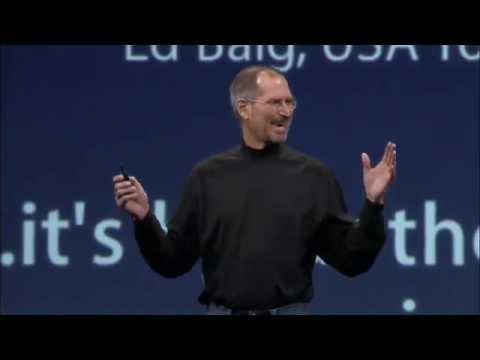
What he talks about
Jobs introduces the MacBook Air as the thinnest notebook in the world and frames it as a fully wireless machine. He walks through the design tradeoffs Apple made, including the lack of an optical drive and the use of Remote Disk for software installation.
He also connects MacBook Air to Apple’s broader ecosystem: iTunes Movie Rentals for movies, Time Machine and Time Capsule for backups, and wireless networking for everyday use. The message is that thinness does not have to mean compromise.
Jobs closes by highlighting the machine’s specs, pricing, shipping timeline, and environmental choices like the aluminum enclosure and mercury-free display. The product is presented as both a technical feat and a new direction for notebook design.
Jobs speaks throughout, with brief appearances by the Mac/PC ad voices and an Intel representative on stage.
In his words
“The MacBook Air was built to be a wireless machine”
“We go from this to this.”
“The thinnest notebook in the world”
“We don't think most users are going to miss the optical drive.”
“All of this in the first two weeks, and we got 50 more weeks to go”
Key points
- MacBook Air is built to be a wireless machine.
- Apple removed the optical drive but provided Remote Disk as a replacement.
- The notebook still offers strong battery life despite its thin design.
- Jobs ties the MacBook Air to iTunes Movie Rentals and Time Capsule.
- The machine is positioned as the thinnest notebook in the world.
- Apple emphasizes environmental improvements in the design and materials.
Full transcript
Hello, I'm a Mac, and I'm a PC. I can't believe 2007's over, PC. It was a great year though, huh, buddy? Not really. What do you mean? I came out with Vista. That didn't work very well. Some people were downgrading to XP. Meanwhile, you come out with your new operating system, Leopard, a new iMac, lots of new iPods. Oh, the iPhone. I almost forgot the iPhone. Right. It was a terrible year. But, next year, looking forward to the future, 2008 is going to be the year of the PC. That's a great attitude, PC. What do you got planned? What are you going to do? I'm just going to copy everything you did in 2007. Thank you. Thank you. Welcome to Macworld. Thank you.
Welcome to Macworld 2008. We've got some great stuff for you. There's clearly something in the air today. But, before we dive into all of that, I just wanted to take a moment and look back to 2007. 2007 was an extraordinary year for Apple. Some incredible new products, the amazing new iMac, the awesome new iPods, and, of course, the revolutionary iPhone. On top of that, Leopard and all of the other great software we shipped in 2007. It was an extraordinary year for Apple, and I want to just take a moment and say thank you. We've had tremendous support by all of our customers, and we really, really appreciate it.
So, thank you for an extraordinary 2007. Thank you. So, I've got four things I'd like to talk about with you today. So, let's get started. The first one is Leopard. I'm thrilled to report that we have delivered over 5 million copies of Leopard in the first 90 days. Unbelievable. It is the most successful release of Mac OS X ever. And what this has resulted in is almost 20% of the Mac OS X installed base is now upgraded to Leopard.
This is unprecedented in the first 90 days for both us and, of course, the industry. So, we're really, really thrilled by this. And the press has been very kind, too. It's been a critical success as well as a commercial success. In my view, Leopard is better and faster than Vista. Walt Mossberg, a man of few words. Leopard is powerful, polished, and carefully conceived. David Pope, the New York Times. With Leopard, Apple's operating system widens its lead aesthetically and technologically. Ed Baig, USA Today. And it's by far the best operating system ever written for the vast majority of consumers.
Ed Mendelsohn, PC Magazine. So, in addition to getting great critical reviews, Leopard has really been well received by our developers. And one of the things that's being announced today is Microsoft is now shipping Office Mac 2008, their latest version of Office. And this is the last big app to go native on Intel. So, we're finally there. All of the big apps now are native on Intel. Thank you, Adobe. Thank you, Microsoft. All the apps native on Intel. So, we're pretty thrilled. So, in Tiger, we have a bunch of great new features, as you know.
And one of them is Time Machine. Time Machine is really great because it can automatically back up all your files and save them to a hard disk. And as you know, the way Time Machine works is you take an external hard drive and plug it into your computer and everything else is automatic. It works great. If you have a notebook, though, you're constantly plugging in that hard drive and unplugging it and you're in places where you forgot to bring that hard drive and you want to get a backup. You wish that you didn't need that wire, right? You wish it was like this. Well, today, we're introducing a companion product to Time Machine. It's going to do away with that wire forever. It's called Time Capsule. And what it is, it's really clever.
It's a backup appliance. And what it has in it is an airport extreme base station, a full airport extreme base station, and a hard drive. So, it's got 802.11n wireless networking, the most advanced Wi-Fi networking available. And it's got a server-grade hard drive in it. So, it's very reliable. And these two things together make up Time Capsule. And as you can see, it's a full airport extreme base station with all the ports in the back. Really nice. And so, you can backup your notebook wirelessly to Time Capsule. As a matter of fact, you can backup all the Macs in your house, whether they be notebooks or desktops, wirelessly to one Time Capsule.
Just literally plug it in, turn it on, and enable Time Capsule or Time Machine on all your Macs and that's all you have to do. It's really wonderful. We're going to sell Time Capsule in two versions. One with a 500 gigabyte drive inside it, and one with a terabyte drive inside it. The 500 gigabyte drive model is going to cost just $299. And the terabyte model is going to be just $499. These are very aggressive prices because we want people backing up their content. And Time Capsule is going to ship in February.
It's the perfect companion product to Time Machine. We've got an ad running on Time Machine. I hope you've seen it. But if you haven't, I'd love to run it for you now. Hello, Mac. What's with all the use? Oh, yeah, this is my new backup feature, Time Machine. Oh. It automatically makes copies of me every hour. So if I accidentally delete a file, I can always find it. Exactly. Plus it's part of Leopard, so it comes on every Mac. I have to say, Mac, that's pretty awesome. Thanks, PC. Yeah, thanks, PC. No, thanks, PC. Thanks, PC. Yeah, thanks, PC. Okay, you're welcome. All of you. You don't have to go down the whole line. So that's Time Capsule, a perfect companion to Leopard.
And that's the first thing I wanted to share with you this morning. So number two. Number two is about the iPhone. I've got some great news for you. Now, today happens to be exactly the 200th day since the iPhone went on sale. All right? iPhone's been shipping for exactly 200 days today. And I'm extraordinarily pleased to report that we have sold 4 million iPhones to date. If you divide 4 million by 200 days, that's 20,000 iPhones every day on average.
So we're really pleased with this. Now, what does this mean in terms of the overall market? Well, let's take a look at the U.S. smartphone market share that the iPhone has achieved. Now, this is data from Gartner, and the most recent data we can get is really just for the third calendar quarter ending in September. So this is iPhone's first quarter of shipment ever. And so the market share in the U.S., RIM had the highest market share with 39%. Right? They do a great job. Highest market share. Next was the iPhone. Its first quarter shipping, it garnered 19.5% market share. Now let's look at number three, four, and five. Palm with 9.8%, Motorola with 7.4%, and Nokia with 1.3%.
And then other, the category with everybody else in it, 20.2%. So the iPhone, in its first 90 days of shipping, garnered almost a 20% market share of the U.S. smartphone market. What's equally interesting to this is if you take number three, four, and five, Palm, Motorola, and Nokia together, and you add up their market shares, it was 20.3%. We equaled them in the first 90 days of shipment. And we just about equaled other, which is everybody else put together in our first quarter. And when the numbers come out for the December quarter, we think we're going to have done even better. So this is our first 90 days, 4 million iPhones to date.
Now, what everybody's really excited about is the software development kit that we're going to release in late February to our developers. This is really exciting, a chance for all of our developers to write incredible apps on the iPhone. But we wanted to give everybody something today, too. And so we've got some great new features we're rolling out on the iPhone today. First, maps with location. We've completely rewritten the UI, and we now have the ability to find your current location in maps. Web clips. You can now make web clips of your favorite websites and put them right on the home screen.
You can customize the home screen and create up to nine total home screens that you can flick between. You can SMS multiple people at once. When you're watching videos, you can have chapters and navigate through your videos with chapters. And if it supports it, you can have subtitles and alternate languages. And if you have lyrics, we support displaying of lyrics now in the iPod. So what I'd love to do now is show you this stuff. Let's take a look. Excuse me. So let's go to maps. And as you can see, we've got a new user interface for maps here.
We've got search and directions right in the middle here so people don't get confused. Over on the right side, we've got a little view button, and I can hit that and just curl up the map and it allows me to see my map and map view, satellite, new hybrid view which puts them together, list view, show traffic, and we can drop a pin. We'll come back to that later. But this button on the left is really cool. I push it and it's going to locate me right on the map. And there we are. So this is pretty cool. And I can just flip right into directions now and it uses my current location as the start and I could say, well, that's cool, I want to get back to Apple and just find the route and it will calculate the route back to Apple and show me and give me street by street directions if that's what I'd like.
And here we are. I could say I want to edit that. And what I really want is I know we have an Apple store nearby here and I've bookmarked that as well. And so let's calculate the route to that. And here's the Apple store. So after the keynote, I can wander over to the store, I can drive over to the store. So that's pretty cool. And I can also now drop a pin anywhere I want to and move it around. And let's say when I'm going to the Apple store, I find a cool little shop over here I want to bookmark and I can just add this to my bookmarks. I can get directions, I can remove the pin, whatever I want and I can just keep track of those kinds of locations that I want to go to again. So that is the new Maps.
And again, we develop our Maps application in conjunction with Google. They have awesome Maps technology and we write the front end apps and it's a great collaboration and we love working with those guys. So I want to now SMS more than one person at once and I'm going to bring up a new message here and I'm going to just, oh, let's say I want to send it to Phil and Scott and, oops, I've got to spell his name right, Scott Forstall and maybe Tim and maybe Tony, Tony Fidel right there and I could just say, hi, and this will actually send a message to him now.
And so I'm sending a message to four people here, which is kind of nice. But as you know, our SMS client keeps track of the conversations that you're having with these people and so if I go back now after sending this, it's right here at the top of my list right there, you can see. And if I want to send another SMS to all of these folks with one click of my finger, I've addressed it and I'm ready to go. So it's pretty nice. So that's sending SMSs to more than one person at once. Web Clips, Web Clips is pretty cool. So I go to my Safari browser, I'm looking at the Apple home screen now and I'm going to go to Google because they have these really cool apps now that work with the iPhone and I think I might use them a lot.
And here they are coming up now. And what I can do is I now have this plus button right down there at the bottom in the center and I can just push this plus button and what's going to happen is, in addition to have add to bookmark, I have add to home screen and I can mail a link to this page if I want to. So I'll say add to home screen and it comes up and I can rename it if I want and it shows me the icon that I'm going to get and I say that's just fine, let's add it. And so now that icon is now added to my home screen. I'm going to go get another one. This one takes a while to load, but it's the New York Times, it's a great website. And we'll just go ahead and wait for it to load here.
Because Web Clips can be more than just a website, they can also remember where I've zoomed and panned to. So on the New York Times, I often like to just look at the front page and look at the technology section here once it loads in. And we'll just scroll down here for a second as it loads in and we'll zoom up to the technology section. There we go. And that's what I want to see. And we'll just go ahead and say add this to the home screen and we'll get rid of the whole New York Times and just put NYT, because that takes up a little less room, and we'll add it. And now I've got a New York Times right here. And I just touch these and I go right back to those websites, which is really cool.
Now I may want to customize my home screen. And so what I can do is just touch any icon for a few seconds and they all start to jiggle. They all get a little restless. And I can do whatever I want. I can take something out of the dock if I want. I only have three things in the dock. I can say I'm going to use these Google apps a lot. I'm going to put them right in the dock there. I'm going to take my New York Times and just slide it over to the right of the screen and it goes to another page that I've made with all my other web clips on it. And when I'm done, I can go back here if I want and I can just move stocks down here and I can move my calendar over here, whatever I want to do. And I just push home and I'm done.
And now my icons have been rearranged and I can go see some of these other web clips. I can just push Bank of America. They have a great mobile banking app here. And I just go right to it. It's that simple. And I can create up to nine of these home screens and just literally flick between them with a flick of my finger. So there you have it. So how do we do some of this stuff? Let's take maps. There's no GPS inside the iPhone. We've got this great new user interface, but how do we actually arrive at the location? Well, we're working with two companies to do that, Google and a company called Skyhook Wireless.
Let me start with Skyhook. What they've done is they've driven the U.S. and Canada in little cars with antennas on them and GPS receivers in them, and they've mapped Wi-Fi hotspots. They're now doing Europe and starting in Asia. And they've got 23 million Wi-Fi hotspots in their database. And so when we go to find a location, it turns out you pick up beacons from these hotspots, even if you're not connected to them. And you pick up the beacons. We triangulate the beacons, look in their database, and it tells us where we are. Isn't that cool? It's really cool. Google is doing basically the same thing with triangulating cell tower information off the cellular network. And we're using both of them.
And it works pretty doggone well. So that is how we find location on the iPhone. And again, we can take any app. We have this new add to home screen button. We can go ahead and add our apps right to the home screen. We can reposition them anywhere we want. SMS, multiple people at a time. And again, have a record of that so I can just, if I want to, one finger, send a message to all those people again. And when I'm watching films now, I've got two buttons here. One shows me all the chapters. I can navigate through the video by chapters. And the other, if the video contains alternate language tracks or subtitles, I can turn those off and on and select the language as well.
If I have lyrics data, puts it right on top of the album art when I go in with the scrubber. So these are some of the new features that we've got on the iPhone. And all of this is available today as a free software. update for every iPhone. The iPhone is not standing still. We keep making it better and better and better and giving free software updates to our users. So, that's the iPhone. What about the iPod Touch? You know, they do have the same software system inside. What can we do for the iPod Touch today? Well, we're doing something pretty big. We've decided to add five apps to the iPod Touch. We're going to add our amazing Mail app, our Maps app, which you just saw, Stocks, Notes, and Weather. And this is what it's going to look like for the iPod Touch.
Mail, Stocks, Notes, and Weather, Maps with Wi-Fi location because the iPod Touch has Wi-Fi. So, whenever we can pick up those Wi-Fi beacons, we can use Skyhook to find the location even on an iPod Touch that doesn't have a cellular radio in it. Web Clips, customize the home screens, the same stuff we just heard on iPhone on the iPod Touch. And starting today, we are going to build it into every new iPod Touch that leaves the factory. And for existing iPod Touch users, it's going to be just a $20 upgrade and you get all these new features. And available today on iTunes. So, you can just go to iTunes, plug in your iPod Touch, you'll see a page just like this and with one button, you can download this entire software update to your iPod Touch. And so, the iPod Touch and the iPhone, major software updates to each one, and that was the second thing I wanted to talk about today.
All right, number three. Number three is a good one too. Number three is about iTunes. I'm really pleased to report that last week, we sold our 4 billionth song. Isn't that great? 4 billion songs. You know, on Christmas Day, we set a new record. We sold 20 million songs in one day, on Christmas Day. Isn't that amazing? 20 million songs in one day. That's our new one day record. On iTunes, we've also sold 125 million TV shows. That's way more than everyone else put together, selling TV shows online. And we've sold seven million movies.
Again, that's more than everyone else put together, but it did not meet our expectations, I have to tell you. And so, we've looked at this a lot. And we think there's a better way to deliver movie content through iTunes over the Internet to our customers. And so, today, we're introducing iTunes Movie Rentals. Now, we've never offered a rental model in music because we don't think people want to rent their music. Every time we go out and ask them, they want to own their music because you listen to your favorite song thousands of times in your life. But your favorite movie, most of us watch movies once, maybe a few times. And renting is a great way to do it. It's less expensive. It doesn't take up space on our hard drive when we're done. It's a great way to look at movies. And so, this is what the new section of the iTunes store looks like for movie rentals. And we have gotten the participation of some great studios. Touchstone Pictures, Miramax, MGM, Lionsgate, and New Line Cinema. Oh, and by the way, these six, too. 20th Century Fox, Warner Brothers,
Walt Disney, Paramount, Universal, and Sony Pictures. We have every major studio supporting us with iTunes Movie Rentals. And we're going to have all the great first-run films. You know, all the films of this year that are now out on DVD, just really, really great films. I'm sure you saw a lot of these in the theater. That's a particular favorite of mine. We've also got great library titles. Hunt for Red October, Matrix, Jerry Maguire, Austin Powers. Lots of library titles. And all of the great new titles this last year.
Here's a great example I wanted to highlight. This film, I didn't have to see this film. I'm sure most of us didn't. But you know, this film got a 95% on the tomato meter at Rotten Tomatoes, which is the best review site out there. And now we have a chance to see these kinds of films and have them brought into our consciousness that we might not normally have had the opportunity to see. And all the great films of the year on iTunes Movie Rentals. Now, so what's the deal? Here's the deal. We're going to launch with over 1,000 films by the end of February. 1,000 films by the end of February. And we're going to have films from the studios 30 days after their DVD release. You can watch them anywhere. You can watch them on your Macs, watch them on your PCs, watch them on all current generation iPods, watch them on your iPhone. You can watch them instantly. When you say rent, if you have a modern broadband connection, you'll be able to watch them in less than 30 seconds.
What are the rules? When you rent a movie, you have 30 days to start watching it. And after you start watching it, you have 24 hours to finish watching it. You can watch it as many times as you want within 24 hours. So 30 days to start, and after you start, you have 24 hours to finish. And you can actually transfer the films to another device in the middle of watching them. So you can watch the first half on your computer, realize you've got a flight to catch, transfer the film to your iPod, and watch the rest of it on the iPod on the airplane if you'd like. So you can move the films around to different devices. What are they going to cost? To rent a library title is going to cost just $2.99. To rent a new release, $3.99. So here's how it works. I'm on iTunes. I'm looking at a movie I might like to rent. I push rent movie right here. And it adds it to a collection of movies I've already rented, let's say, in a new category of rented movies up in my iTunes library.
So I've already rented The Simpsons movie. I've already rented Harry Potter. And it adds Ratatouille, and I've got 29 days remaining. And I can watch Ratatouille on my Mac in this case. So I'm watching Ratatouille, but I want to watch the rest of it on my iPod. So I stop the movie. I plug in my iPod. I go to movies, and I see this. It shows me all three movies. And with one simple button called move, I move Ratatouille onto my iPod, and now I can watch the rest of Ratatouille right on my iPod. It's that simple. iTunes Movie Rentals launches today. It's a free software update. There's free software updates going out for iTunes, iPods, and iPhones to support iTunes Movie Rentals. We're rolling it out in the U.S. starting today, international later this year. We're dying to get this international as well. So iTunes Movie Rentals. You can watch movies on your Macs and PCs. You can watch movies on all the current generation iPods. And you can watch movies on your iPhone.
What about this? What about this flat screen TV that I just bought? I'd like to watch the movies there too. Well, I have to say, all of us have tried. We have Microsoft, Amazon, TiVo, Vudu, Netflix, Blockbuster. We've all tried to figure out how to get movies over the Internet and onto a wide screen TV. And you know what? We've all missed. No one has succeeded yet. We tried with Apple TV. And Apple TV was designed to be an accessory for iTunes and your computer.
That's not what people wanted. We learned that what people really wanted was about movies, movies, movies. And we weren't delivering that. So we're back with Apple TV Take-Two. It still syncs beautifully to your computer if you want, but no computer is required to use Apple TV Take-Two. So, here's what you can do with Apple TV. You can rent movies directly on your widescreen TV. You don't have to rent them on a computer and move them over, you can rent them directly on your widescreen TV with Apple TV.
And you can rent them in DVD quality and you can rent them in HD with Dolby Digital 5.1 surround sound. The quality is unbelievable. You can also now view audio and video podcasts right on Apple TV. You can choose from over 125,000 podcasts in the iTunes podcast directory and see them right on your widescreen TV. You can get photos from your computer, but you can now go right over the internet and get photos from Flickr and .Mac and watch them.
As you know, photos are stunning on a widescreen TV because modern digital cameras are all HD resolution. And of course, YouTube. We've been working with the guys at YouTube for quite some time and we've expanded the selection to over 50 million videos that you can now watch on your widescreen TV from YouTube. This has worked out so great, our customers love this. You can now buy TV shows and music right on your widescreen TV with Apple TV. And if you are using a computer, it will automatically sync them right back to your computer. And of course, you can play iTunes content and watch photos directly from your computer if you want to do that. It's even better than the original Apple TV in this regard.
So all of this stuff on the new Apple TV. Let me focus in on the HD movies for a minute. As we said, we have library and new release titles and the library titles are $2.99 and $3.99. And in HD, they're just a dollar more, $3.99 and $4.99. You can rent them in HD quality. And we've got over 100 titles in HD today and this is going to build really fast. We're very, very excited about this. So all of these features and an entirely new user interface. So let me go ahead and show this to you now.
This is the new interface for Apple TV. It's got one menu that pops up in the center, movies, TV shows, music, podcasts, photos, YouTube and settings. It couldn't be simpler. And so let's go into movies. We'll go into top movies here. And this is what the main movie rental screen looks like. The whole thing is centered around the movie rental experience. So I've got some bricks at the top. I can go into comedy classics and look at comedy classics, peruse them if I'd like to. Family gems. Star Trek. I love the old Star Trek movies. But let me go down and actually pick a movie.
And let's take a look at Blades of Glory. Fun movie. And so as you can see, I can read a little bit about the movie. I can see the actors, the directors. I have a list of movies that viewers that rented this movie also rented. And I can go down into any one of those if I want to. And well, not that one. Maybe Zoolander. And I could check out Zoolander and again I could just go through this over and over if I wanted to. But I want to go back up and I want to go ahead and preview Blades of Glory. And so I can just push a single button and get a preview for free. The passion, the power, the world of competitive figure skating.
So you get the idea, right? Now if I want to buy this, excuse me, rent it, I just go over here and push one button to rent this movie. Here I am. I confirm it. And so I'm starting to rent the movie right now. And I've already rented Live Free or Die Hard in HD and now I'm renting Blades of Glory and it's just downloading. It's going to tell me when it's ready to play. It's ready to play now. And so I can just hit the play button and play it. Okay, there we go.
So this is full DVD quality here that I just rented. And it's great. Now I'm going to show you an HD movie I've already rented here, Live Free or Die Hard. Just to give you a feeling for the quality, I've already been watching some of this so we're going to join it midstream. Let's just go take a look at what this is like. Let's play some HD here. So you get the idea.
It's very strong. It's very strong. So let's go to genres here. We've got all sorts of genres, G and PG and drama and romance and sci-fi, just to see a few of these things. We even got a western. And I just want to go ahead and show you what search is like too. You can search for things. Again, we're just populating the database. We're ingesting all these movies from the studio and encoding them right now. And it's pretty great. So I want to find Shakespeare in Love. Again, it's real fast live search. There it is right there.
Just go down to it. And there's Shakespeare in Love, preview order rent. So it's that simple. So now, let me go back up. TV shows. Again, we've got over 600 TV shows on iTunes that you can buy for $1.99 per episode on Apple TV. Watch them. And again, they'll automatically sync back to your PC or Mac. Oops. Music. Again, we've got over 6 million songs in iTunes.
You can buy any of them right on your widescreen TV. And let me go ahead and... Let's go ahead and search for something here. And I'm going to search for a Linkin Park music video. So there they are right there. I can just go over to Linkin Park. And here's a music video I could also buy. Let's preview it. So music, music videos.
Whole iTunes catalog at your fingertips on your widescreen TV. So let's go to podcasts here. This is really cool. So, podcasts, what I'm going to do is... I'm going to go to top podcasts here. HD podcasts right there. We have a lot of podcasts in HD now, which is really amazing. I'm going to go to this one here. And this is very cool. And I'm going to go ahead and play this one.
This is streaming off their server live here. HD content in a podcast. It's free. Over 125,000 podcasts. I'm hanging around with Jackson all winter and nothing really happened. And that kid comes into town and we're like, oh great, here we go. He just starts poking around and he finds his little zone in case you need more. Let me zip forward here for a minute. Stoked on stage and I'm stoked I held out. Next project. Oh, got to go back. Stoked. Alright, there we go. Stoked. Stoked on stage and I'm stoked I held out. Next project. Oh, got to go back. Alright, there we go. Stoked. Alright, there we go.
Stoked. Alright, there we go. Stoked. Alright, there we go. Stoked. Alright, there we go. Stoked. Next project. Can you believe that? Incredible. So, let me go to photos now. I don't know if we can top that one. Let me go to .Mac. And again, this is all live. You can go to your own sites or other people's sites. You can set these things up as screensavers or just look at the photos. So, let's go to Belize Vacation here.
This is, again, streaming off the .Mac server. Live. Isn't this incredible? On .Mac we also have movies. And I want to play you a movie. This is some footage that was taken by one of our iMovie guys. The chief architect of iMovie. On one of his vacations it caused him to want to create iMovie. And he created iMovie and he edited this on iMovie. And with one click puts it up on the .Mac web gallery.
And now here we are with our new Apple TV watching it on a very widescreen TV. . You get the idea. For the recipient, there is no computer involved here. This is all from their couch on their widescreen TV. So, let me go to Flickr now. This is Flickr Live.
Right from their servers. So, I'm going to go to love2hike78. Go in there. And, you know, I can show you all the photos from love2hike78. But I'm going to do something even more fun. I'm going to go to love2hike78's contacts. These are love2hike78's friends. So, I'm not even looking at their videos. I'm looking at their friends' photos here. And I'm going to go to hero552. Whoever that is. And I'm going to play some photos from the boating trip. . .
. . . . . . . . . . . . . . . . . . . . . .
. . . . . . . . . . . . . . . . . . . . . . .
. . . . . . . . . . . . . . . . . . . . . .
. . . . . . . . . . . . . . . . . . . . . .
. . . . . . . . . . . . . . . . . . . . . . .
. . . . . . . . . . . . . . . . . . . . . . .
. . . . . . . . . . . . . . . . . . . . . .
. . . . . . . . . . want a wide variety of choice, they want easy access to it, they want to be able to have it be convenient, they want to be able to control when and where and how they watch it, and they want to take it with them every chance they get. So choice and access, convenience, control, portability, also pretty basic. Basic enough that even a studio guy can understand. But we don't do things that way, we have to think them through. So we go to our in-house technology department, our guru, our futurist, our technologist, give them all the ramifications and this is how it affects this and that and this, we give them all the data, and I think we have a slide with the result.
So, Homer's on board and it's auspicious, tomorrow is the rental opening of the video rental for the Simpsons movie. Actually, the real back story is that when Steve came to us with this idea, it was a no-brainer, it was just the most exciting, coolest thing we'd ever heard. And certainly we still feel that way. You know, VOD, video rentals, are not a new thing, you know, they're certainly available in other ways, they'll continue to be, people may make those choices. But there was music and then there was the iPod. There was a phone and then there was the iPhone. So, you know, Apple does things in a very intuitive, insightful, innovative, I've got a couple of I-words left, but you get the idea and I know you're all here, so you understand. So, I think this will be a transformative version of the rental model and we're incredibly excited about it.
Going back to that idea of giving people choices and options and ways of enjoying movies, because that's kind of what we do, there's another idea that we've talked to Steve about and we've been working on for a while, which is DVD. And, you know, DVDs will be with us for a while, especially now that the next generation format will be Blu-ray, it looks like. Right? Yeah, that's what I thought too. But, you know, but people will still want to buy DVDs and enjoy the benefits of hard media, but we don't want to deny them the benefit of having that same movie available to them on their iPod and in their iTunes library and on Apple TV. So, we developed a digital copy that will be on discs going forward. In fact, I happen to have a copy of the first one with me, a copy of the first one with me, again, auspiciously today, coincidentally.
It actually was. We actually planned this date a long time ago. It was the DVD premiere of the Family Guy Blue Harvest video, which is Seth MacFarlane's hysterical take on his favorite movie, Star Wars, which George Lucas fortunately had a sense of humor about. I think you'll really enjoy it. But this contains a digital copy, which you can instantly and easily move to your iTunes and to your iPod and to all of the cool toys. First one. And it's free. So, you know, we're really excited about this as well. But today is for us, at least, this exciting beginning of movie rentals on iTunes. And we couldn't be happier and prouder of our partnership and our friendship. And we look forward to bringing you a lot of exciting entertainment in the years to come. So, thank you for having me.
Thank you, Jim. Well, iTunes movie rentals. That's the third thing we want to talk about today. I'm very excited about it. So, that brings us to number four. There's something in the air. What is it? Well, as you know, Apple makes the best notebooks on the planet. The MacBook and the MacBook Pro. These are the standards in the industry by which competitive products are judged. Well, today we're introducing a third kind of notebook. It's called the MacBook Air.
Now, what is the MacBook Air? In a sentence, it's the world's thinnest notebook. So, what does that mean? Well, we went out and looked at all the thin notebooks out there. Most people think of these, the Sony TZ series. They're good notebooks and they're thin. All right, this is what they look like. Side view there. We looked at all of them out there and kind of tried to distill the best of the breed of all of them. And, you know, they generally weigh about three pounds. In this case, in the Sony's case, they're about 0.8 inches to 1.2 inches thin.
They're wedge-shaped. It's quite representative. They compromise, though, to get the weight down on things like the display. They have an 11 or 12 inch display, most of them an 11. They also compromise on the keyboard. Instead of putting full-size keyboards in, they make miniature keyboards. And they don't run them as fast as they could because their thermal envelopes don't support faster processors. So we looked at this and we said, what do we like and what do we think is a compromise here? We think the weight's a good target. Three pounds. But we think there's too much compromising to get there. Too much compromising on thickness, too much compromising on less than a full-size display, less than a full-size keyboard, and we think you could put even more performance in one of these products. So let's take a look at the thinness first.
This is that Sony product. Again, one of the best in the field. 1.2 inches down to 0.8 inches. This is the MacBook Air. 0.76 inches down to an unprecedented 0.16 inches. Now, I want to point something out here. The thickest part of the MacBook Air is still thinner than the thinnest part of the TZ series. We're talking thin here. So it's so thin it even fits inside one of these envelopes that we've all seen floating around the office. And so let me go ahead and show it to you now.
This is it. Let me take it out here. This is the new MacBook Air, and you can get a feel for how thin it is. Yeah, there it is. All right. Amazing product here. Full-size keyboard, full-size display, and this is what it looks like. Isn't that amazing? So let's go explore this in more detail.
So again, it fits inside one of these envelopes. It's that small. This is what it looks like. Incredible. It's the world's thinnest notebook. You open it up. It's got a magnetic latch so there's no hooks or things to catch on your clothing. And it's got a full-size 13.3 inch widescreen display. And the display is gorgeous. It's an LED backlit display. And not only does that save power and not only does that give a really bright display, but it's instant on the minute you open it. On top of the display is a built-in eyesight camera for video conferencing right out of the box.
And you flip it down, there is a full-size keyboard. This is perhaps the best notebook keyboard we've ever shipped. It's a phenomenal keyboard, and it's full-sized. And it's got a built-in fingerprint scanner. With the ambient light sensor, it's also backlit. We've got a very generous trackpad, which is great. We've also built in multi-touch gesture support. Now, as you know, our current notebooks have some gestures built in. We've taken that even further.
When you go to preferences in the MacBook Air, you'll actually get to turn on all sorts of other types of gestures, and there's actually videos in there to show you what they are. So let me run through them with you now. You can double tap, and instead of moving the cursor around, you can move the whole window around. Right? Just a nice time saver. So that's great. Here's another one. When you're in a photo, a large photo, you want to pan around, you can pan around with just two fingers like this. Another nice time saver. You want to rotate a photo. This works in iPhoto and all the other photo apps. Just rotate like this. Again, we've taken some of these things we learned in the iPhone, and now we're putting them in our notebook computers.
Here's another one. If you want to go between photographs, next photo, just take three fingers and pan right. Previous photo, pan left. And you want to zoom, you can pinch in and out. Right? Isn't that great? So, multi-touch gestures, pretty amazing. And again, you can see how beautiful and thin this product is. Now, how did we fit a Mac in here? How did we do it? I'm still stunned that our engineering team could pull this off.
Well, let's look at the bottom, take off the bottom, and there's three things in here. It's a battery, hard disk, and the electronics. On the hard disk, we went to 1.8 inch hard drives. We shipped tens of millions of these in iPods. We know them well, and they're great. And so, the MacBook Air ships with an 80 gigabyte hard disk as standard, and there's an option of a 64 gigabyte solid state disk, if you'd like it. These are a little pricey, but they are fast. But the real magic is in the electronics. This is a complete Mac on a board. Let's take off the cooling system. That's a complete Mac on this board, and you think, well, okay, what's so special about that?
Well, this is how big the board is. It's really tiny, and to fit an entire Mac on this thing was an amazing feat of engineering. And we didn't compromise on performance. MacBook Air uses the Intel Core 2 Duo. This is a really speedy processor. It's what we use in all of our other notebooks and our iMacs. 1.6 gigahertz standard, and there's an option to go to 1.8 gigahertz, if you want. Now, we've got a great relationship with Intel. Both companies are engineering-driven, and they both love to challenge each other. And Intel's got enormous amounts of technology.
And so, when we were building this product, we asked them to consider something. This is their amazing Core 2 Duo chip, right? It's a screamer. We said, we want that chip in this product, but we need to go to smaller packaging. The same die on a smaller package. It sounds easy, it's not. They spent a lot of, invested a lot of engineering to create this for us. This is the same chip in a package that is 60% smaller. And it's one of the reasons we could build MacBook Air. And so, I'd like to say thank you to Intel. And it's my pleasure to invite the CEO of Intel, Paul Ottolini, on stage.
I'd like to give him a round of applause. You know, Steve, about a year ago, you challenged us to try and get the world's best microprocessor into this impossibly thin machine. I brought one with us today. When we started this project, we didn't think it was possible. The product that we ended up building for you is about the width of a dime. It's as thick as a nickel. It has 400 million really fast, really power-efficient transistors on it, and it's state-of-the-art. And I think just working with you and your team to produce these wonderful devices has been a challenge.
There are times when we sweated over it, but at the end of the day, we did what we do best together, which is innovate. And I want to thank you and your team for allowing us the opportunity to innovate with you. Thank you. Let me give you this as a souvenir. All right. Thank you. Thank you. Thank you. This is awesome technology. Thank you, Paul, and thank you, Intel. So that's the electronics. That's how we fit a Mac inside the world's thinnest notebook. So let's take a look at some of the other features. On one of the sides, we've got a MagSafe connector. We've got a smaller 45-watt power adapter that also comes with the MacBook Air.
On the other side, we've got a flip-down door that exposes USB 2 port, a micro DVI connector with digital and analog video, and a headphone jack. And maybe most importantly, we've built in the most advanced wireless networking technology, 802.11n, right into MacBook Air, along with Bluetooth 2.1 plus EDR. So the latest and greatest in wireless technology, the MacBook Air was built to be a wireless machine. Now, no matter how hard you look, one thing you're not going to find in a MacBook Air is an optical drive. If you really want one, we've built one.
You can buy this accessory that was made for the MacBook Air. It's powered off the USB port of the MacBook Air, and it costs just $99, and it's very compact. You can take it with you wherever you go with your MacBook Air. But you know what? We don't think most users are going to miss the optical drive. We don't think they're going to need an optical drive. Because again, the MacBook Air was built to be a wireless machine. So what do we normally do with optical drives? We play movies, right? We install software, we make backups, and we burn music CDs sometimes, for our cars usually. Well, guess what? We have a much better way to get movies onto our computers now. We can wirelessly rent them from iTunes movie rentals right on our MacBook Air.
We have a much better way than burning CDs for our car. Most of us have iPods in our cars now. For making backups, we now have Time Machine and Time Capsule to wirelessly backup our notebooks. What about installing software? Well, we're going to do that wirelessly too. We've innovated in a way only Apple can to give a comprehensive solution to this problem. We have a new feature on MacBook Air built right into the operating system called Remote Disk. And so, when you go to the Finder in MacBook Air, you will see in the left-hand column something called Remote Disk. And Remote Disk, when you click on it, will show you all those Macs or PCs in your vicinity that have some special software loaded on them that comes on a disk of MacBook Air.
Mac version and a Windows version. And you can pick one of those machines and ask to borrow its optical drive. And when you do, that machine will get a request. They can accept it. That's what it looks like on Windows. And so, once they've accepted it, you see what's in their optical drive. And you can even have Mac installer disks inside a Windows PC. A PC can read a Mac disk with this special software. And send it wirelessly over to your MacBook Air. And you click on it, and it's just as if you had a local optical drive. And you can install your software. It's amazing. So, Remote Disk, that's how we're going to install software.
Wirelessly. We go from this to this. And we don't think users are going to miss that. So MacBook Air, this amazing notebook. We also didn't want to compromise on battery life. And so MacBook Air, when you're doing email, you're browsing the web, wireless networking is turned on, five hours of battery life in that tiny little portable. A lot of the other ultra-thin notebooks get an hour and a half of battery life. This is phenomenal. battery life without having to put a big giant external battery on it like some of them do. So what are the features? Three pounds, an unprecedented 0.16 to 0.76 inch thickness, a 13.3 inch full size display, a full size keyboard, a backlit keyboard, multi-touch gestures on a very spacious trackpad, iSight camera built in for out-of-the-box video conferencing and horsing around with photo booth, 1.6 gigahertz core 2 duo as standard, 2 gigabytes of memory standard, an 80 giga hard drive standard with an option to go to a 64 gigabyte solid state drive, 802.11n Wi-Fi standard, Bluetooth 2.1 EDR standard, and of course our MagSafe connector.
And all of these features and more in the thinnest notebook in the world, and we are pricing this notebook at just $17.99. And we commence shipping MacBook Airs in just two weeks. We're starting to take orders today, pre-order on the online store if you'd like. We'll be shipping in two weeks. So this is what the shipping box looks like. So the thinnest notebook in the world. It's just amazing. And we made an ad that we're going to start running.
If you'd like, I'll show it to you. You want to see it? Okay. Let's go ahead and run the ad. I'm a new soul, I came to this strange world, hoping I could learn a bit about how to give and take. So, MacBook Air.
I wanted to cover one other side of MacBook Air. We're going to do this for our major product introductions going forward. That is some of the progress we've made towards our environmental initiatives on these products. So there's a few things we've done. Number one, the MacBook Air is enclosed in a fully aluminum case, which is fully recyclable. As a matter of fact, it's a highly desirable material by recyclers. They love aluminum. The whole case is aluminum, which is great. MacBook Air has our first display that is both mercury-free and also uses arsenic-free glass. That's a milestone for us, and we're very happy about this. All of the Apple-designed circuit boards, which are the vast majority of circuit boards in the unit, are bromide flame retardant-free and PVC-free.
So we're very happy about that as well. That's a first for us as well. And the retail packaging is 50% less volume than our previously smallest packaging, which was the MacBook. This helps a great deal in energy-expended transporting the products and with obviously disposing of the packaging materials. So we're very happy about that too. We continue to make progress on all of these environmental fronts, and we'll keep you posted, but they all add up to something in the end, and we're very conscious of this. So thank you for that. So MacBook Air, the thinnest notebook in the world. And it joins our other two great notebook families, the MacBook and the MacBook Pro, the best notebooks in the industry.
So that is the fourth thing that I wanted to talk about with you today. Thank you. So it's 2008 already, and in the first two weeks of 2008, let's just review the new products and innovations that we've announced so far. Well, last week, we announced the most powerful Mac we've ever made, the new Mac Pro. Eight processors across the board. It's a screamer. It's the fastest Mac we've ever made. And today, Time Capsule, companion product to Time Machine.
Keep our data safe and backed up. Software upgrades for both the iPhone and the iPod Touch, bundling five new apps on the iPod Touch as well. iTunes Movie Rentals, a whole new way to enjoy movies on your computers, on your iPods, on your iPhone, and a completely reinvented Apple TV, where you can order movies right on your widescreen TV, standard DVD quality or high def, unbelievable. And the MacBook Air.
All of this in the first two weeks, and we got 50 more weeks to go, so we're pretty excited. So this, ladies and gentlemen, is what we have to share with you today. Thank you so much for coming. You'll get a chance to see all of these new products in the booth.
Transcribed from the audio with OpenAI Whisper. Timestamps link to the video above. Errors are possible.