Steve Jobs on the iPhone: Apple reinvents the phone
What he talks about
Jobs opens by recapping Apple’s successful Intel transition and strong growth in Macs, iTunes, and video sales. He then introduces Apple TV as a way to enjoy media on a widescreen TV, with syncing, streaming, and simple remote control.
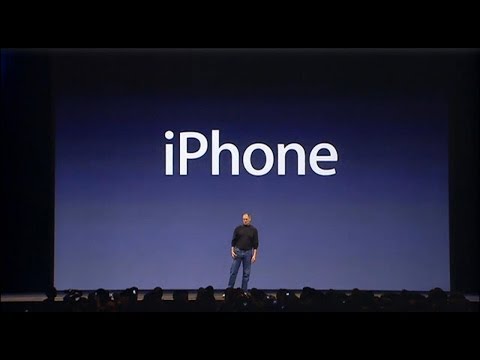
The main event is iPhone: a combination of iPod, phone, and internet communicator in one device. Jobs argues that existing smartphones are hard to use, then shows how multi-touch, a large screen, and software built on OS X create a leapfrog product.
He demonstrates phone calling, visual voicemail, SMS, photos, web browsing, Google Maps, and seamless syncing. The talk matters because it lays out Apple’s design philosophy for the modern smartphone and its plan to enter the mobile market with a fully integrated product.
Jobs speaks throughout, with brief remarks from Phil Schiller and Stan Sigman.
In his words
“Every once in a while, a revolutionary product comes along that changes everything.”
“An iPod, a phone, and an internet communicator.”
“We don't want to do either one of these things.”
“We're going to use our fingers.”
“Today Apple is going to reinvent the phone.”
Key points
- Apple had already proven it could execute a major Intel transition quickly and successfully.
- Apple TV extends iTunes media to the living room with simple syncing and streaming.
- iPhone combines an iPod, a phone, and an internet communicator in one device.
- Multi-touch replaces the stylus and fixed buttons with fingers and software-driven controls.
- iPhone runs OS X to deliver desktop-class apps, networking, and security.
- Visual voicemail changes voicemail into a random-access experience.
- Apple frames iPhone as a leapfrog product aimed at being far smarter and easier to use than smartphones.
Full transcript
So good cuz I got you. So good. So good. I got you. Hey. (applause) Good morning, James Brown. So, thank you. Thank you for coming.
We're going to make some history together today. So, welcome to Mac World. You know, it was uh it was just a year ago that I was up here and announced that we were going to switch to Intel processors, a huge heart transplant to Intel microprocessors. And I said that we would do it over the coming 12 months. We did it in seven months. And it was the it's been the smoothest and most successful transition that we've ever seen in the history of our industry. And it was because we made a beautiful seamless version of
OS 10 for Intel processors. And our team created Rosetta software which let you run Power PC apps on top of OS 10 on Intel processors. Our hardware team got to cranking out a new Mac with Intel processors every month. And we completed this transition in seven months. But we didn't do this alone. We did this with the help of a lot of folks. Our new colleagues at Intel really helped us. Thank you very much. our our third party developers rapidly moving their apps to universal versions to run at native speeds on Intel
processors. Thank you very much. And most of all, our users. The minute you saw these lightning fast machines, you bought them. And we've had an extremely successful year. And I want to thank our users very much. Now, as many of you know, our retail stores have for a while been selling over half their Macs to people who've never owned a Mac before. Switchers. Well, I'm pleased to report that now in the US, Macs selling through all channels, over half of them are selling to people who've never owned a Mac
before. It's not just limited to our retail stores anymore. Half the Macs were selling in the US. We are picking up lots and lots of new members of the Mac family and we couldn't be happier. As a matter of fact, here's one that might be coming on soon. Jim Alin at Microsoft was quoted recently as saying if he didn't work for Microsoft, he would buy a Mac and he's retiring soon. So, I've alerted our Seattle stores to keep an eye out for him and give him really good service. you know, uh, Vista's coming out and, uh, you know, our ads with the Mac guy and the PC guy. Uh, we made a little ad for Vista and I'd love to show it to you now if you'd like to see it. So, let's
go ahead and run it. Hello, I'm a Mac and I'm a PC. What are you going in for a checkup? Well, I'm upgrading to Vista today, which is great, but I get a little nervous when they mess around with my insides. Well, what do you mean? Isn't it just straightforward? Not really. Like a lot of PCs, I have to update my graphics card, my memory. If I want the premium package, I need a faster processors. It's major surgery. I'm sorry about that. Listen, Mac, if I don't come back, I want you to have my peripherals. Oh, come on, PC. You're not going to speak of peripherals. So
2007 is going to be a great year for the Mac, but this is all we're going to talk about the Mac today. We're going to move on to some other things and over the course of the next several months, we're going to roll out some awesome stuff for the Mac. But for today, we're going to move on. So the first thing I'd like to do is give you an update about our music business. As you know, we've got the the iPod, best music player in the world. We've got the iPod Nanos, brand new models, colors are back, and we've got the amazing new iPod Shuffle. The iPod, in addition to being the world's best MP3 player, has become the world's most popular video player. And
by a large margin, the iPod Nano is the world's most popular MP3 player by a wide margin. And the new Shuffle is the world's most wearable MP3 player. So, we had an incredible lineup for this holiday season, all refreshed and new products. Now, I'd like to tell you a few things about iTunes now that are pretty exciting. Number one, we have crossed a major milestone. We have sold over two billion songs on iTunes. It's amazing. Now, there was some there was an article
recently that said iTunes sales had slowed dramatically. I don't know what data they're looking at, but uh this is our data. And what we see is iTunes sales were really up this past year. Uh it took us over three years to get to a billion songs. We got our second billion in 10 months in 2006. And growing off us over 600 million song base, we doubled it in 2006. So we couldn't be happier with the growth rate of iTunes and selling two billion songs. Now we are selling over five million songs a day. Now, isn't that unbelievable? Five million songs a day. That's 58 songs every second of every minute of every
hour of every day. And the last time we talked to you, we said that we were the fifth largest music reseller in the US. Now, all these other guys sell music on CDs, and of course, we sell it online, but if you add up all the music that sold, we were the fifth largest reseller. Because of the growth of iTunes, I'm pleased to report that we have now passed Amazon. We sell more music than Amazon and we are now number four. And you can guess who our next target might be. So, so that's an update for music. Now, I want to talk about TV shows. We've got awesome TV shows on iTunes. As a matter
of fact, we have over 350 TV shows that you can buy episodes from on iTunes. And I'm very pleased to report that we have sold now 50 million TV shows on iTunes. Isn't that incredible? Now, now let me go on to movies. When we started with television shows, the pioneering partner we had was the Walt Disney Company. They decided to throw in with us and sell TV shows. And boy, did it work. Well, when we decided to sell movies, they were right there with us again as our pioneering partner to sell movies. And I am really pleased to announce that in the first four months of selling movies, we have sold 1.3
million movies on iTunes, which I think has exceeded all of our expectations. And today, we have a new partner joining the Walt Disney Company to sell movies on iTunes, and that is Paramount. Paramount is going to be selling the movies on iTunes and uh we're thrilled because they have some awesome movies. Let me just show you a few of the titles here that are going up as we as we speak. All all six Star Trek movies. So, we are going to be moving up from the hundred movies we've offered so far
to over 250 movies now offered on iTunes. These are getting up as fast as we can over the next week or so, and we hope to be adding even more movies as other studios throw in with us as 2006 rolls on. So, that's an update on iTunes. Now, as I said, we had a very strong lineup of music players for this holiday season. We always have stiff competition. That's just part of this business. And we had a new competitor this last holiday season, uh, which was, of course, Microsoft's Zoom. So, how'd they do? Well, we don't have data for December yet because it's not out until next week or the week after, I forget. But we have data for November, which was their launch month. Should have been real big. And they garnered 2%
market share. 2% market share. uh iPod had 62% market share and the rest had 36. Now again, we don't have data for December. We know we went up uh uh quite a bit in December in terms of market share and uh we'll find out how they did. But 2% in their launch month. So no matter how you try to spin this um what can you say? (applause) So, that's an update on how we're doing in the music business. And we've got a few new ads for iPods. You know, we work with some of the greatest folks to create advertising. And uh uh they
created this this wonderful ad that I'd love to show you right now. So, let me go ahead and roll it. Everybody knows you're calling on the back of the wall. My go (music) don't come much more than you. I drive you as right in the head. I stood kicking in. (music) (applause) (music) Now, just to let you in on our process a
little bit, these guys are incredibly creative. They couldn't stop. And they took the same song, which is a, you know, upand cominging British pop group, and they um they took the same dancers and they did some different animation and they came up with what you're about to see. (music) Those are the ones to call when the girls get on the back of the wall. (music) Don't check me in. I drive you.
Right in the head. (applause) (music) (applause) Great. (applause) So, those will be running shortly and that is an update to our music business. Now, I'd like to talk about a product we introduced in September uh called it was called the code name is ITV. We have a new name for it. It's called Apple TV. Uh, but you should never you should either go with your code name like we did with the Mac or you should pick a code name quite a bit a real name quite a bit different than your code name. So, I'll probably stumble and call this ITV
five times today by mistake. I apologize. It's Apple TV and uh Apple TV is a way to enjoy your media on your big screen TV. So, let's let's uh backtrack and talk about what we did when we uh previewed this in September. You can buy great content on the iTunes music store, movies, TV shows, and music, of course, and you can download it to your computer, be it a PC or a Mac. I'm I'm going to use a Mac here. You can put other content on your computer from other places, too, of course. And you can put that content on your iPod. Right now, you can go out and buy a widescreen TV, hook up an Apple TV to it, and wirelessly transmit that content from your PC to your Apple TV and watch it on
your big screen TV. It's that simple, right? It's that simple. So, this is it. Let's take a look at around the back and the connectors to refresh ourselves. We have a power connector, USB 2, and Ethernet. We have Wi-Fi wireless networking built in. And then we have ways to get video out. An HDMI connector, which is digital audio and video, or component video and analog and digital audio, right? All out the back. Most people, however, will just use these three. They'll plug it in. There's no power brick necessary. And they'll hook up an HDMI cable to their widescreen TV and they'll use wireless networking to get their content. So, it's really, really easy to use. And let me tell you more a little more in depth about what this box does.
First of all, it delivers up to 720p highdefinition video, right? Number one. Number two, it's got a 40 gigabyte hard drive inside it, so it will store up to 50 hours of video, which comes in handy for something I'm about to show you. And it has 802.11 Wi-Fi wireless networking, and it's got all three of the popular standards. It's got B, G, and the new draft N standard, which is really, really fast. And it's got an Intel processor in it, so it's got the processing horsepower to do the kinds of user interfaces we like to do. So, it's a really cool box. It works with video, music, and photos. It was designed for
widescreen TVs. It's got Wi-Fi wireless networking, internal 40 gig hard drive. it. You can autosync your content from one computer and you can stream content from up to five computers. So, let's examine this in a little more detail. Autosync from one computer. What does this mean? It means you can take one of the computers in your house and right from iTunes, just like you would set up an iPod, you can set up your Apple TV. And you can set up your Apple TV to say, "Oh, take my 10 most recently purchased unwatched movies and automatically put them on the hard drive of Apple TV so that whenever I walk up to Apple TV, they're there." Right? So, let me show you. I'm going to do this with six TV
shows. They just automatically whenever I buy them, they just automatically will stream in the background to Apple TV and be stored on the hard drive, right? So, whenever I go to watch something, they're there. Now, I can also stream from up to five computers. In this case, I'm going to take content from five computers and I can watch it on Apple TV, but I will will not store it on the hard drive, right? So, you can just stream it live and watch it from other computers in the house or if your neighbor comes over with a a notebook and they've got something cool that you want to watch in your widescreen TV. Again, PCs or Macs, I just choose the computer that I like. So, this is Apple TV and uh why don't we go ahead and show it to you. You can control it with this very simple remote. So, let's go see a
demo. This is the screen saver. Takes all your photographs here and just puts them on your TV. And they're gorgeous because, as you know, photo photography these days is high def with these amazing digital cameras that we have. So, let's go into the main menu of ITV. And uh here's what it looks like. We've got movies, TV shows, music, podcasts, photos. So, let's go into movies here. And we go into movies. And uh let's see here. Now, we have um all my movies that are stored on ITV as well as the iTunes top movies. I can go see what's selling on iTunes and stream it down and watch
it on ITV. I can also look at theatrical trailers. Again, this is not stored on ITV. This is actually coming over the live internet into my house through my internet gateway wirelessly to I uh to Apple TV and I can watch theatrical trailers streaming right from apple.com. So, let's go in here and uh what's a cool trailer? Uh I'm going to watch there's one called The Good Sheeperd. Where'd it go? Oh, jeep. Good sheeperd. There we go. Boom. So, let's watch this. I just click on it and this is streaming live from apple.com. Everybody has secrets to tell. My secrets are bigger than others.
And you understand that whatever we discuss here doesn't leave this room. Of course. The president has asked me to look into creating a foreign intelligence service. My orders came through. I'll be going overseas. What are you going to do, Edward? Save the world. I'll do what I can. Welcome to our little clubhouse. You're going to have to learn the English system of intelligence. I'm here to see a tailor. How is the fishing? Set the mongoose free. So, you get the idea. You can sit on your couch and watch theatrical movie trailers with ITV. Now, let's back up here and let's go play a movie. Um, we've got Zoolander here. Let's go play a little part of Zoolander, one of our
new Paramount movies. You think you're too cool for school, but I got a news flash for you, Walter Kankite. You aren't. What are you trying to get crazy with, Es? Don't you know I'm local? Hey, I got a wacky idea. What say we settle this on the runway? Han Solo. Stop.
Isn't this great? So, that's movies. And uh let's go take a look at uh at TV shows here. It's again incredibly cool. Let's go into Heroes, a really great new show. And uh let's play an episode called Better Halves. Switch your system up, Al. Some ancient oriental voodoo. No system. Japanese people very lucky. Japanese people better run out of luck soon. I'm starting to think I'm getting hustled. Easy, Ernie. It's a friendly game. No one's getting hustled. No hustle. Only good fortune. (music)
(music) (music) Let's go. I'm in for 400. I will bet 1,000. Okay. Well, that's TV shows and uh now
let me show you uh music. You know, ITV of course is Apple TV is uh primarily for for video, but it turns out it's awesome for listening to music on your home theater system as well. We think a lot of people are going to buy it uh buy it for that. So, we've got music here. We've got the iTunes top music and top music videos. And uh let me go down into playlists here. And uh I've got a favorites playlist and I'll go into that. And I'll just shuffle some songs because I want to show you what it's like when you're playing music here. (music) (music)
So it does that so it doesn't burn a hole in your plasma TV there. And uh we can go ahead and just go to the next track here. Nice track. (music) So that's what it's like to play music. (music) All right, so now let's go to photos. You know, again, your photos are high def. These new digital cameras are awesome. And so you can just again move your photos to ITV or stream them over over wireless networking and see
your photos right on your TV. So as an example, here's a photo album I made of uh they're just beautiful. Nice day for a walk in the park. night stay for a drive through the city. (music) This world is a warm sunny park. (music) So, you get the idea. It's really cool to watch photos on your widescreen TV. Now, uh, what I've been demonstrating so
far, uh, is primarily content that has been synced to Apple TV from my computer. And I'd like to show you what it's like, uh, when you, uh, want to connect to somebody else's computer. Let's say, uh, Phil Schiller, my neighbor, comes over and, uh, he's got his MacBook. And Phil, what do you got on your Mac? Well, you got some content we could watch. Hi, neighbor. Yeah, I have some, uh, a really cool show I was watching and I wanted to show you on your Apple TV. Great. Well, let me just go down here to sources and uh here's the uh you know the Apple TV that I've been playing off the hard drive of. And I just say I want to connect to a new iTunes right here. And iTunes is running on Phil's machine, it says type in this PIN for security reasons. And Phil types in the PIN into his MacBook. And the minute they're
fully authenticated now and there's Phil's MacBook right up there and I push it and now I'm going to be looking at the content right off of Phil's MacBook. And what do you want to watch, Phil? Let's go into TV shows. All right, here we go. Which one? I want to show you something from 30 Rock. All right, go into 30 Rock here. And um there's a really funny scene in Jack Meets Dennis. Jack Meets Dennis. Okay, great. Here we go. We're streaming off of Phil's MacBook to this Apple TV Live. Oh my god. Jack, what are you doing in wardrobe? Latest researchers in. Our audience doesn't like green. Oh, that's too bad. I like green. Research doesn't lie, Jenna. And let us know what we're thinking. What's too boring? What's too gay? What's too old? What's too old? That's a very good question. How old are you? I'm 29. What year were you born?
1977. When did you graduate high school? 94. When did you turn 40? 2017. Junior high crush. Kurt Cameron. Prom. Mottown Philly. Boys to Men. What movie did you lose your virginity on? Arachnophobia. The theater or drive-in. What's a drive-in? I don't know why I bothered to ask. I can tell just from your physical appearance that you're obviously 29. All right. So, thank you, Phil. Thanks, Steve. That is Apple TV. So, we think this is pretty cool.
Apple TV, movies, TV shows, music, and photos, all on your widescreen TV. We're really excited about it. So, Apple TV is going to be priced at $299, right? $299 with all this built in. And we're going to be shipping them next month in February. and we are taking orders starting today. So, Apple TV, enjoy your media on your big screen TV. We think this is going to be really
something quite special. Apple TV. This is a day I've been looking forward to for two and a half years. (applause) Every once in a while, a revolutionary product comes along that changes everything. And Apple has been well, first of all, one's very fortunate if you get to work on
just one of these in your career. Apple's been very fortunate. It's been able to introduce a few of these into the world. In 1984, we introduced the Macintosh. It didn't just change Apple. It changed the whole computer industry. In 2001, we introduced the first iPod. And it didn't just it didn't just change the way we all
listen to music, it changed the entire music industry. Well, today we're introducing three revolutionary products of this class. The first one is a widescreen iPod with touch controls. The second is a revolutionary mobile phone. And the third
is a breakthrough internet communications device. So, three things. A widescreen iPod with touch controls, a revolutionary mobile phone, and a breakthrough internet communications device. An iPod, a phone, and an internet communicator. An iPod, a phone. Are you getting it? These are not three separate devices.
This is one device and we are calling it iPhone. Today, today Apple is going to reinvent the phone. And here it is. No, actually, here it is. But we're going to leave it there for now. So, before we get into it, let me uh let me talk about a category of things. The most advanced phones are
called smartphones, so they say. And uh they typically combine a phone plus some email capability plus they say it's the internet sort of the baby internet into one device and they all have these plastic little keyboards on them. Uh and the problem is that they're not so smart and they're not so easy to use. So if you kind of make a you know business school 101 graph of the smart axis and the easy to use axis phones regular cell phones are kind of right there. They're not so smart and they're, you know, not so easy to use. Um, but smartphones are definitely a little smarter, but they actually are harder to use. They're really complicated. Just for the basic
stuff, people have a hard time figuring out how to use them. Well, we don't want to do either one of these things. What we want to do is make a leaprog product that is way smarter than any mobile device has ever been and super easy to use. This is what iPhone is. Okay. So, we're gonna reinvent the phone. Now, we're gonna start with a revolutionary user interface is the result of years of research and development. And of course, it's an interplay of
hardware and software. Now, why do we need a revolutionary user interface? I mean, here's four smartphones, right? Motorola Q, the Blackberry, Palm Tree, Noki E62, the usual suspects. And what's wrong with their user interfaces? Well, the problem with them is really sort of in the bottom 40 there. It's it's this stuff right here. They all have these keyboards that are there whether you need them or not to be there. And they all have these control buttons that are fixed in plastic and are the same for every application. Well, every application wants a slightly different user interface, a slightly optimized set of buttons just for it. And what happens if you think of a great idea six months from now? You can't run
around and add a button to these things. They're already shipped. So, what do you do? It doesn't work because the buttons and the controls can't change. They can't change for each application and they can't change down the road if you think of another great idea you want to add to this product. Well, how do you solve this? H it turns out we have solved it. We solved it in computers 20 years ago. We solved it with a bit mapap screen that could display anything we want. Put any user interface up and a pointing device. We solved it with the mouse. Right? We solved this problem. So, how are we going to take this to a mobile device? Well, what we're going to
do is get rid of all these buttons and just make a giant screen. A giant screen. Now, how are we going to communicate this? We don't want to carry around a mouse, right? So, what are we going to do? Oh, a stylus, right? We're going to use a stylus. No. No. Who wants a stylus? You have to get them and put them away and you lose them. Yuck. Nobody wants a stylus. So, let's not use a stylus. We're going to use the best pointing device in the world. We're going to use a pointing device that we're all born with. We're born with 10 of them. We're going to use our fingers. We're going to touch this with our fingers. And we have invented a new technology called
multi-touch, which is phenomenal. It works like magic. You don't need a stylus. It's far more accurate than any touch display that's ever been shipped. It ignores unintended touches. It's super smart. You can do multi-finger gestures on it. And boy, have we patented it. So, so we've been very lucky to have brought a few revolutionary user interfaces to the market in our time. First was the mouse,
the second was the click wheel, and now we're going to bring multi-touch to the market. And each of these revolutionary user interfaces has made possible a revolutionary product. The Mac, the iPod, and now the iPhone. So, a revolutionary user interface. We're going to build on top of that with software. Now, software on mobile phones is like it's like baby software. It's not so powerful. And today we're going to show you a software breakthrough. Software that's at least five years ahead of what's on any other phone. Now, how do we do this? Well, we
start with a strong foundation. iPhone runs OS 10. Now, why why would we want to run such a sophisticated operating system on a mobile device? Well, because it's got everything we need. It's got multitasking. It's got the best networking. It already knows how to power manage. We've been doing this on mobile computers for years. It's got awesome security. and to write apps. It's got everything from Coco and the graphics and it's got core animation built in and it's got the audio and
video that OS 10 is famous for. It's got all the stuff we want and it's built right in to iPhone. And that has let us create desktop class applications and networking, right? Not the crippled stuff that you find on most phones. This is real desktop class applications. Now, you know, one of the pioneers of our industry, Alan K, has had a lot of great quotes throughout the years. And I ran across one of them recently that explains how we look at this. Explains why we go about doing things the way we do because we love software. And here's the quote. People who are really serious about software should
make their own hardware. You know, Allan said this 30 years ago, and this is how we feel about it. And so, we're bringing breakthrough software to a mobile device for the first time. It's 5 years ahead of anything on any other phone. The second thing we're doing is we're learning from the iPod, syncing with iTunes. You know, we're going to ship our hundred millionth iPod this year, and that's a tens of millions of people that know how to sync these devices with their PCs or Mac and sync all of their media right onto their iPod, right? So, you just drop your iPod in and it automatically syncs. You're going to do the same thing with iPhone.
It automatically syncs to your PC or Mac right through iTunes. And iTunes is going to sync all your media onto your iPhone, your music, your audiobooks, podcasts, movies, TV shows, music videos, but it also syncs a ton of data. Your contacts, your calendars, and your photos, which you can get on your iPod today, your notes, your your bookmarks from your web browser, your email accounts, your whole email setup. All that stuff can be moved over to iPhone completely automatically. It's really nice. And we do it we do it through iTunes again. You go to iTunes and you set it up just like you'd set up an iPod or an Apple TV and you set up what you want synced to your iPhone and it's just like
an iPod. Charge and sync. So sync with iTunes. Third thing I want to talk about a little is design. We've designed something wonderful for your hand. Just wonderful. And this is what it looks like. It's got a three and a half inch screen on it. It's really big. And it's the highest resolution screen we've ever shipped. It's 160 pixels per inch. Highest we've ever shipped. It's gorgeous. And on the front, there's only one button down there. We call it the home button. It takes you home from wherever you are. That's it. Let's take a look at the side. It's really thin. It's thinner than any smartphone out
there at 11.6 millimeters. Thinner than the Q, thinner than the Blackjack, thinner than all of them. It's really nice. And we got some controls on the side. We got a little switch for ring and silent. We've got a volume up and down control. Let's look at the back. On the back, the biggest thing of note is we got a 2 megapixel camera built right in the other side. And we're back on the front. So, let's take a look at the top. Now, we've got a headset jack, 3 and a half millimeter. All your iPod headphones fit right in. We've got a place, a little tray for your SIM card, and we've got one switch for sleep and wake. Just push it to go to sleep. Push it to wake up. Let's take
A look at the bottom. We've got a speaker. We got a microphone. And we've got our 30 pin iPod connector. So, that's the bottom. Now, we've also got some stuff you can't see. We've got three really advanced sensors built into this phone. The first one is a proximity sensor. It senses when physical objects get close. So, when you bring iPhone up to your ear to take a phone call, it turns off the display and it turns off the touch sensor instantly. Why do you want to do that? Well, one, to save battery, but two, so you don't get spurious inputs from your face into the touchscreen. Just automatically turns them off. Take it away. Boom. It's back on. So, it's got a proximity sensor built in. It's got an ambient light sensor as well. We sense the ambient
lighting conditions and adjust the brightness of the display to match the ambient lighting conditions. Again, better user experience, saves power. And the third thing we've got is an accelerometer so that we can tell when you switch from portrait to landscape. It's pretty cool. Show it to you in a minute. So, three advanced sensors built in. So, let's go ahead and turn it on. This is the size of it. It fits beautifully in the palm of your hand. So, an iPod, a phone, and an internet communicator. Let's start with the iPod. You can touch your music. You can just
touch your music. It's so cool. You got a widescreen video. You can find your music even faster. Gorgeous album art on this display. Built-in speaker and why not cover flow. First time ever on an iPod. And so rather than talk about this some more, let me show it to you. (applause) Alrighty. Now, I've got some special special iPhones up here. They've got a little special board in them and so I can get some digital video out. I got a little cord here which goes up to these
projectors. And uh so I got some great images and you get to see what it really looks like. So, let me I've got a camera here so you can see what I'm doing with my finger for a few seconds. And uh let me go ahead and get that picture within picture up. I'm going to go ahead and just push the sleep wake button. And there we go. Right there. And to unlock the phone, I just take my finger and slide it across. Right? You want to see that again? Go to sleep. We wanted something that you couldn't do by accident in your pocket and just slide it across. Boom. And this is the home screen of iPhone right here. And so if I want to get in the iPod, I just go down that lower right hand corner and push this icon right here. And boom, I'm in
the iPod. I want to get home, I push the home button right here, and I'm home. Back in the iPod. I'm back in the iPod now. Here I am. You see five buttons across the bottom. Playlist, artists, songs, videos, and more. I'm in artists right now. Well, how do I scroll through my list of artists? How do I do this? I just take my finger and I scroll. That's it. Ain't that cool? Little rubber banding up when I run off the edge. And if I want to pick somebody, let's say I want to pick the Beatles, I just tap them. And here's the Beatles' songs with their albums right here. Want to play Sergeant
Peppers, I just hit Sergeant Peppers right there. And uh you know, a little help from my friends. Look at this gorgeous album artwork here. Of course, I got a volume control. Now, I've got a little button up in the corner right here. You can see in the upper right hand corner, I can hit that and flip the album art around. Here's all the other songs back here. And I can play Lovely Rita if I want to flip it back around. Very simple, right? I can set some stars back here just by setting the arrows. Right. That's a five-star album. Isn't that cool?
Yeah, it's pretty nice. Now, let me show you something else. I just take my unit here and I turn it landscape mode. Oh, look what happens. I'm in cover flow. Let's go into Dylan here. Let's play Like a Rolling Stone. (music) I just thumb through, stump through my albums. Really easy. Anytime I find something I like, I can just turn it around, play something.
It's that easy. (music) I walk a lonely road. The only... It's that simple. Ain't that great? Yeah. All right. I could play with this for a long time. Uh
Now again, I've got playlists here. I can go into my playlists. I've got artists. I've got songs. Uh, I've got more over here. I've got, you know, albums. I got a great album view again that shows all my album artwork right here if I want. Uh, and uh I've also got audio books and compilations and things like that. I've also got videos here. So I push videos and uh I've got here I've got a podcast, video podcast loaded on and a music video. And I've got a TV show and a movie. And I'd like to just show you the uh TV show here. This is an episode from The Office. All videos we look at in uh in landscape. An NBC presentation. Hey. Hey. Who are you faxing so early in the
morning? Oh, um kind of hard to explain. I don't have a ton of contact with this Scranton branch, but before I left, I took a box of Dwight's stationery. So, from time to time, I send Dwight faxes from himself, from the future. Dwight, at 8 a.m. today,
course. Isn't that awesome? Isn't that awesome? Let's go. Uh, I now want to show you uh a movie playing. Let's play Pirates of the Caribbean, the second one here. Great movie, by the way. And uh the bright side is you're back and made it off. Now, this is a widescreen movie, so I just double tap and I can see the whole thing here. or I can fill up the screen whichever I'd like. And again, I've got on screen controls here. Isn't this cool? So, we can be watching featurelength movies
just like this. Alrighty. So, that is the iPod. Pretty cool, huh? We've just started. So, again, touch your music. Just scroll through your songs. Scroll through your playlist. It's incredible. Widescreen video like you've never seen on a portable device. 160 pixels per inch. Gorgeous screen quality. Gorgeous album art and cover flow. It's the best iPod we've ever made. Again, some of the screenshots.
It's unbelievable. Here's some album art I just put up so you can see what it looks like. Just no matter what you like, it looks pretty dog on gorgeous. And of course, coverflow and video with onscreen controls. You know, I was showing this to somebody. I was giving a demo to somebody a little while ago who'd never seen this before inside Apple. And I finished the demo. I said, "What do you think?" They told me this. He said, "You had me at
scrolling." So, the iPhone with the most amazing iPod ever, you can now touch your music. So, that's the iPod. Now, let's take a look at a revolutionary phone. We want to reinvent the phone. Now, what's the killer app? The killer app is making calls. It's amazing. It's amazing how hard it is to make calls on most phones. Most people actually dial them every time. Most people don't have very many numbers in their address book. They use their recents as their address book, right? How many of you do that? I bet more than
a few. So, we want to let you use contacts like never before. You can sync your iPhone with your PC or Mac and bring down all your contacts right into your phone. So, you've got everybody's numbers with you at all times. We have something that's going to revolutionize voicemail today. We call it visual voicemail. Wouldn't it be great if you didn't if you had six voicemails? If you didn't have to listen to five of them first before you wanted to listen to the sixth. Wouldn't that be great if you had random access voicemail? Well, we've got it. Just like email, you can go directly to the voicemails that interest you. Excellent audio quality. iPhone is a
quadband GSM plus edge phone. We have decided we've decided to go with the most popular international standard which is GSM. We're on that bandwagon headed on that road map and uh plan to make 3G phones and all sorts of other amazing things in the future. So quadbad GSM plus edge and of course we have Wi-Fi and Bluetooth 2.0 edr built in as well. And so this is what it looks like when you get a call. This is what it sounds like. It's one of our ringtones you can pick, of course. So, I want to show you four things. I
want to show you the phone app, photos, got a calendar, and SMS messaging. The kind of things you would find on a typical phone, but in a very untypical way. Now, so let's go ahead and take a look. So, let's go to our phone first. You see that uh icon in the lower leftand corner? The phone. I just push it right here and boom, I'm in the phone and I've got five buttons across the bottom. Favorites, recents, contacts, keypad, and voicemail. I'm in contacts right now. Again, how do I move around my contacts? I just scroll through them. And so, let's say I want to make a call
to Johnny Iive. I can just push here and I see Johnny IV's contacts with all his information, his three phone numbers, his email, whatever else, his address, whatever else I've got. It's all in one place. And if I want to call Johnny, all I do is push his phone number. I'll call his mobile number right now. And now we are calling Johnny here. I could turn on a speaker phone like this if I wanted to. Hey, Johnny. How you doing? I'm good. How you doing? Well, it's been two and a half years and I I can't tell you how thrilled I am to make the first public phone call with iPhone. I I remember when we first started
working on this and it's just it's just unbelievable. Whoa. Whoa. What is this? I've got another call coming in. Johnny, can I put you on hold for a minute? Yeah, sure. Okay. So, I'm put Johnny on hold. And Hi, Phil. Hi, Steve. I don't want you to be the first call. Sorry, Phil. As you can see, it's put it's put Johnny on hold. And Phil, I can just touch Johnny and bring Johnny back. Hey, Johnny, you there? Yeah, I'm here. Hey, listen. Uh, Phil called. Do you mind if I uh conference him in? I guess so. You can see the button has changed to merge calls right there in the middle. So I just push that right here and now I've created a conference call. John, you there?
I'm here. Phil, you there? Oh, still hanging on. So here we are. And uh listen, I got to get back to my keynote. So, uh, if I want to do that, what I'm I just touch this arrow right here and, uh, I'm going to go ahead and take Johnny private here and, uh, put Phil on hold. Johnny, do you have anything to say on the first phone call? It's It's uh, it's not too shabby, is it? It's not too shabby. You take care, Johnny. I'll see you later. And I end this call. And it Phil's on hold. I take him off a hold. Phil, thanks very much. I got to get back to the keynote now. All right. Talk to you later. Bye. Bye. Bye. Alrighty. So
Now I've also got a way to make a list of favorites here for my most often called numbers. So I can just touch it once and dial, dial the number. And I might want to add somebody to favorites. So let's say I want to add Phil Schiller. I just push that plus button in the upper right hand corner right there. And up pop my favorites. And I can just go to, uh, S is here. And there's Phil. So, uh, Phil Schiller right there. And, uh, I'll put, let's say I want to put Phil's work number. And it's added Phil right there. You can see favorites. I can edit favorites by pushing the edit button in the upper left and corner. And I can move Phil up if I want to, you know, maybe to the top. And, uh, let's say I'm not going to, you know, Tony's changed his number. I got to update this anyway. So I'm going to get rid of that. And I could just remove Tony. Boom.
There we go. It's that simple to edit these things. Very, very easy. I've got recents right here, which is all my recent phone calls. If I want to see the ones I've missed, which were in red, I can just go up and touch that button at the top and boom, those are all the ones I've missed. And those are all the calls that I've placed or have gotten. If I want to dial the phone, if I'm real last century, I can push keypad here and, uh, I can dial a call just with— Oops, called four. Sorry, wrong number. Uh, 408, uh, 996 1010 and it formats the numbers and, uh, if I want to I can just keep dialing. Let's say it's a European number and the numbers just keep getting smaller. Real
simple, very simple to dial with a keypad. Now let me show you visual voicemail. This is so cool. This is a collaboration that we've done, uh, which I'll talk more about later and, uh, it allows us to have random access voicemail, go directly to the voicemails we want. So as an example, I come to my voicemail and I say, oh, there's one by Al Gore. I want to hear that one. I just push it. Hi D. Wish I could be there today. I'm here in Nashville training people to give my slideshow but I wanted to say congratulations on the iPhone. It is unbelievably cool. Good luck with the presentation. Call me later. Now, if I want to call Al back right now, I can just push that call back
button. But I want to listen to one from Tim Cook I've got here. So, let me listen to Tim. Hi, Steve. It's Tim. I've got the results from last quarter. Revenue was, you know, I'll just wait and tell you when I see you in person. Good luck on the keynote. See you there. Ain't this awesome? And so I've got voicemail how I want to listen to it, when I want to listen to it, in any order I want to listen to it with visual voicemail. So that is a quick tour of the phone app. Now what I want to do is show you SMS texting. So I just go to that SMS icon in the upper left and corner and push it. And I not only have SMS texting, but I have multiple sessions. So, I can be carrying on
conversations with people and every time I get a new message from them, I'll be alerted to that and I can go check it out. So, as an example here, I've got Eddie Q and I've been carrying on a conversation with Eddie and I just tap this and here's the conversation I've been carrying on right here. Right. And if there's a new message, look, so there's a new message from Phil and, uh, let's see. The conversation was what? Hey, Steve. Hi. Still on for dinner tonight? Absolutely. Your turn to pick. I've picked Sushi Ron. How about seven o'clock tonight? And I say I can just say, you know, sounds great. And I've got this little keyboard which is phenomenal. It does error, uh, prevention and correction. And not that I won't make some, I probably will. But it's actually really fast to type on. It's faster than all these little plastic keyboards on all these smartphones. So I
can just say, "Sounds great. See you there." And I can send that. And there it is, right? It's that simple. And when Phil messages me back, I'll be alerted. I'll see the dot and I can just go pick up that conversation where it left off. If I want to send a message to Eddie, I or Scott, I just push this and send a message and go. It's so simple.
So, that's SMS messaging. And, uh, you know, again, you've seen the keyboard. It's pretty awesome. We'll come back to that a little bit later. And the third app I want to show you as part of the phone package is Photos. You know, we have a 2 megapixel camera built in. As I said, we also have the coolest photo management app, uh, ever. Certainly on a mobile device, but I think maybe ever. And, uh, so here's, here's our photos. I'm going to go into our photo library. And this is our library. And again, I can just scroll through photos here with my finger. Pretty cool. Let me go to photo album. I'll pick Italy. And I just, uh, let's start at the top. And to go through pictures, I just swipe them. I can just swipe through my photo library. Oh, there's one that's, uh, that's landscape. I can just turn my device and
take a look at it. Pretty cool, huh? Boom. Right. So, I can even swipe when I'm in landscape here, you know. Isn't this awesome? The other thing I can do is, uh, I can take any of these pictures and, uh, I can make them bigger. And, uh, so, let me go ahead and get the camera back up. Yeah, there it is right there. I can, uh, I can just take my fingers and I can, we call it the pinch. I can bring them closer together or move them further apart to make it bigger or smaller. And so, I can just move them further apart and stretch the image. That cool.
Move it around. That’s cool. And now, now what I can do is I can, uh, pick to make this my wallpaper. And of course, I could, you know, move it around then and just set the wallpaper. And now, when I, uh, if I’m back at home and I go to sleep, when I wake up from here on out till I reset it, that’s my wallpaper. Whenever I’m making a call, that’s what I’m going to see. Boom. There we go. So, Photos, SMS, and the Phone app. That is part of our phone package for iPhone. Get a call. Again,
really great call management features. Just scroll through contacts with your finger. All the information at your fingertips here. Favorites, last century, visual voicemail, calendar, SMS, texting, incredible photo app, the ability to just take any picture and make it your wallpaper. It’s pretty unbelievable. And I think when you have a chance to get your hand on it, you’ll agree we have reinvented the phone. Okay. So, now let’s take a look at an internet
communications device. It’s part of iPhone. So, what’s this all about? Well, we’ve got some real breakthroughs here. Start off with, we’ve got rich HTML email on iPhone. The first time really rich email on a mobile device. And it works with any IMAP or POP email service. You got your favorite mail service, it’ll likely work with it. And it’s rich text email. We wanted the best web browser in the world on our phone. Not a baby web browser or a WAP browser, a real web browser. And we picked the best one in the world, Safari. And we have Safari running on iPhone. It is the first fully
usable HTML browser on a phone. Third, we have Google Maps. Maps, satellite images, directions, and traffic. This is unbelievable. Wait till you see it. We have widgets starting off with Weather and Stocks. And this communicates with the internet over EDGE and Wi-Fi. An iPhone automatically detects Wi-Fi and switches seamlessly to it. You don’t have to manage the network. It just does the right thing. Now, I want to take a second and talk about
email. We hook up to almost any IMAP or POP 3 mail service. I just want to give you some examples. IMAP, of course, is the best because you can keep your folders and all your email on the server and access it from anywhere. Uh, Yahoo, Yahoo Mail is IMAP. Microsoft Exchange has an IMAP option and obviously Mac Mail is IMAP as well. POP 3, Google Gmail, AOL Mail and most ISPs are POP 3 email. Now I want to take a minute and highlight one: Yahoo Mail. Yahoo Mail is the biggest mail service in the world. They have over a quarter billion users. Biggest email service in the world. And today we are announcing with Yahoo that
they are going to provide free push IMAP email to all iPhone customers. So this isn’t just IMAP email, it is push IMAP email. So when you get a message, it'll push it right out to the phone for you. Same as a BlackBerry. Free IMAP push email from Yahoo. So we think this is a pretty big deal. So, what I’d like to do now is I’d like to show you Mail, Safari, Google Maps, and Widgets running on iPhone. So, let’s go see. So, let’s go into Mail. Second icon from
the left on the bottom there. I just touch it with my finger and boom, I’m there. And so, I’ve got an inbox here. And this is, by the way, running live on Yahoo IMAP email. This stuff is coming off a Yahoo server somewhere up in the cloud. And, uh, so I can say James Vincent here sent me an email and he’s a proud father. And there we go. And I can just scroll it here. I’ve got inline photos, rich text, email. There we go. Let’s look at another one. Phil Schiller, she loved the gift again. Inline photos, rich text. Pretty nice shopping list. Again, rich text right
here. Pretty cool. Directions to Sushi Ron for tonight’s dinner. Now, iPhone, of course, parses out phone numbers. And as you can see, there’s a phone number in blue. I can just touch it and boom, I’m going to call this place, right? I don’t really want to call them, so I’m going to end the call here. But you get the idea. And, uh, this last one, uh, Ken Barescin is one of our marketing folks. He just returned from Antarctica. Ken’s a great photographer and he took all these great photos of, uh, penguins in Antarctica. It’s really cool. Look at this. Isn’t this great? Right in your email right on your phone. And if I want to, by the way, I can look at my email with a split
view just like I do on my computer. And so I can select something here and just look at it down here if I want to peruse my messages real fast and just find that one message I was looking for. But I actually like the full screen view. And of course, we have a standard inbox and drafts and sent, you know, and all sorts of folders you can put things in as well. So it’s real email just like you’re used to, uh, on your computer right here on your phone. It’s extraordinary. And again, free IMAP email from Yahoo. Now, let me go ahead and just create an email message. Show you what that’s like. So, again, when I don’t need the keyboard, it’s not there. When I do, it’s there. I want to send a message to, uh, let’s say Phil, I just type PH and boom, Phil Schiller. It’s address
completion. And maybe I’ll send one to Scott Forestall as well. And there’s Scott right there. And, uh, let’s say the subject is, uh, dinner. Dinner. And, uh, uh, you know, oops. See you tonight. Boom. And I just send sends that email and we’re done. So that is Mail. Full desktop class email running on a mobile device. All right. Now I want to
Show you something incredible. I want to show you Safari running on a mobile device. So, let's go to the web. And here we are. I'm going to load in, rather than apple.com, here a little, uh, more universal site. I'm going to load in the New York Times. It's kind of a slow site because it's got a lot of images, but here we are loading it. We're loading it over Wi-Fi right now. And rather than just give you a W version of the New York Times, rather than give you this wrapped version all around, we're showing you the whole New York Times website. And there it is. And guess what I can do? I can just put this into landscape mode. And there it is.
Right there. And I can scroll here if I want. Scroll up and down here. Boom. Still loading it in. There we go. Or I can just get back like this. Now, this is really great. And I can see the whole page. But of course, I can't read it. It's a little too small. So, I can get in with my fingers and pinch it. But we have an optimization here. I can just double tap on anything and it automatically fills up the screen with it. And I can just scroll around like this and scroll over here. And I can even make this text bigger if I want to. And there it is. And just double tap again to get back to
The full page. Isn't this cool? And so I'm just look at this. There is the New York Times. And again, any article I want. Boom. There we go. Boom. Unbelievable. Now you can look at multiple web pages as well. You can have multiple web pages open. So I just push this button in the lower right-hand corner. Shrinks it down. And I could add a new page if I want. And I'll go to, uh, Amazon here out of my bookmarks. So, let's go to Amazon. And I love to go to the DVD section of Amazon and see what DVDs are selling. I like it especially when Disney's are at the top. Uh, and, uh, so here's Amazon coming in even before the whole page is
Loaded. I'm just going to double tap on this and, and, uh, I'm going to say let's go to the DVD section here. And now it's doing that. And here we are. And there's a section over here on the right-hand side right there. And these are the top sellers updated hourly. Oh, look. "An Inconvenient Truth" is number one. All right. And here's all the other movies. Grey's Anatomy. I like that. Pirates of the Caribbean. Fantastic. And so I've got this right here. And I can go back to the New York Times if I want.
You know, let's zoom up to that picture so we can all see it. And again, here. Isn't this cool? Just over there. And go back to this one. I can get rid of them just by hitting the X. And there we go. Isn't that incredible? Safari. You know, if you've ever used what's called a web browser on a mobile phone, you'll know how incredible this is. I hope you never really know because it's, it's bad out there today. And this is a revolution of the first order to really bring the real internet to your phone. Let me show you some about widgets here. Uh, let's go to Stocks right now. And we're going to
Load stock information off the web and, uh, just right onto the phone here. Oh, look. Apple's up. That's great. Now, I can look at different graphs here if I want to. And, uh, that's fantastic. Let's look at the percentages here. Oh, good, good, good. So, I've got stocks right here. And, uh, I can go look at the weather. Let's see what, uh, what it's like outside. 49 degrees, but it's supposed to get to 61 today. So, that's good. We'll just stay in here till it warms up. Now, I've got, uh, Paris right here. I can have as many of these as I want. So, it's nighttime in Paris.
It's actually warmer in Paris at night than it is here today. Wow. Aspen. Well, no snow till later in the week. And Hawaii. Oh, it's raining. That's not good. Well, anyway, here's four places. Hawaii, Aspen, Paris, and San Francisco. And again, the weather widget. Now, to conclude with the internet device section here, I want to show you something truly remarkable, which is Google Maps on iPhone. I hit our Maps application here, and it's coming up, and it shows us North America. And I'm going to go to Moscone West. That's where we are right now.
And here we are. Boom. That's where we are. Now, what I'm going to do is I'm going to go, uh, look for something. I'm, I'm going to certainly want a cup of coffee afterwards. So, I'm just going to look for Starbucks, right? Starbucks. So, I'm going to search for Starbucks. And sure enough, there's all the Starbucks. Now, I can get a list of Starbucks here. So, I can pick that one if I want. And I can even go look at that Starbucks. And there it is. And let's give them a call. Good morning. Stop by. How can I help
You? Yes. I'd like to order 4,000 lattes to go, please. No, just kidding. Wrong number. Thank you. Bye-bye. Okay. Now I can zoom in, uh, by just again pinching if I want to or I can just double click to zoom in and I get just higher and higher resolution versions of the map. So let's go somewhere else here that I've got bookmarked and, uh, let's go to the Washington Monuments. And so here is Washington, D.C. and I could just double tap and and, uh, I'm going in a little further here. Just double tapping in. And there's the Washington Monument.
There. And I'll double tap in again. And, uh, but now I want to show you something else. Satellite images. So I just hit this button called Satellite down at the bottom. And it's going to replace the map with satellite images. There we go. And, uh, I can just double tap in. And double tap in again. And, uh, let's—it's catching up to me here. There we go. And let's double tap in again. This is the Washington Monument. There we go. Look at this. You see people down there. Oops. There we go. Yep. Isn't that incredible? Right on my phone. It's unbelievable. So, let's go. I've
got another one. The Eiffel Tower, which is very cool. I set this one, uh, to be, uh, look at this. There's the Eiffel Tower. There's people at the Eiffel Tower. You can see. Look at that. That's incredible. And here, just one last one. I have to show you the Colosseum in Rome. So, again, here we are in Rome. That's as far as we can go with the map, but we can go a little further with the satellite. There's the Colosseum. There's the Roman Colosseum. Satellite imagery right on the phone. Look at that. That's the Colosseum. Unbelievable. Right on our phone. What do you think? So,
so all these amazing things. This is a breakthrough Internet communicator built right into iPhone. The first rich HTML email on a phone, the first real web browser on a phone, best version of Google Maps on the planet, widgets, and all with EDGE and Wi-Fi networking. We're very, very happy with this. Again, email, push email, IMAP, Free, Yahoo, and almost any other IMAP and POP mail service you want to hook up to. Incredible new technology for entering text far better than we've seen on phones before. A real browser on the
phone. We can see real web pages in portrait or landscape. We can zoom in on what we want to take a look at more closely. Google Maps and widgets. It's the Internet in your pocket for the first time ever. Now, you can't—you can't really think about the Internet, of course, without thinking about Google, right? And for Google, what we have on our phone working with them is, of course, Google Search. We have that built right into the browser. Just type what you want, hit Google, and you're off. And Google Maps. We've been working very closely with them to make this all happen. We're thrilled with the results. And it's my pleasure now to
introduce Dr. Eric Schmidt, Google's CEO. Congratulations, Steve. What an incredible job. So, Steve, um, you know, I've had the privilege of joining the board, and there's a lot of relationships between the boards, and I thought, uh, you know, if we just sort of merge the companies, we could call them Applegoo. Um, but I'm not a marketing guy. Um, what I like about this new device and the new architecture of the Internet is
that you can actually merge without merging. Uh, Steve says that each company should do the absolutely best thing that they can do every time. And I think he's shown it once again today. And Internet architectures, right? Um, Internet architectures allow you now to take the enormous brain trust that is represented by the Apple development team and combine that with the open protocols and data services that companies like Google and the others represented that are coming up in a bit to actually put them together in a seamless environment for end users. What I particularly like about this is it's the first time it's all to come together in one place. Now from a Google
perspective, what we've done is we've pushed very, very hard to partner with others and in particular to partner with Apple. The companies, the cultures are similar: innovation, having fun while you're doing it, and also working with many, many different data services. So Steve showed a little bit of some of the components, some of the pieces and so forth that you can do, but understand that this is a set of data that's from maps and partners and so forth so that you really can get the full integration. The person doesn't understand how hard it was to get it all together. It comes together seamlessly. From my perspective, this is the first of a whole new generation of data services where these powerful-based cloud computers, Google being, we hope, a
leading representative, provides HTML, XML, and other sophisticated services that the Safari browser that's embedded in the iPhone and many other of its type devices and future devices out of Apple will be able to take advantage. Steve, my congratulations to you, and this product is going to be hot. Thank you very much. As a board member, you'll get one of the first ones. Yeah. Okay. Now, you also can't think about
the Internet without thinking about Yahoo. And again on the phone, we've got Yahoo Search built right in. You can select which one you want to use. Just type in something, hit that Yahoo button, and boom, you're off. And of course, we also have Yahoo IMAP email services. And so, it is my great pleasure to introduce Jerry Yang, co-founder and chief of Yahoo. Jerry. Congrats. Thank you. Thank you. Thank you, Steve. I'm not a board member of Apple, but I would love to have one of these, too, obviously. Wow. All this for a phone. Pretty
incredible. And, and what a great device, Steve. We are, uh, really proud at Yahoo to be partnering with Apple on not only the Yahoo IMAP email, the first one we're doing, um, but also, uh, hopefully on a whole variety of other popular services from Yahoo. One of the things that we're going to be doing with Apple is also, uh, launching some of our new services that we announced this week. The Yahoo Go, Yahoo, uh, One Search, and hopefully we can get Yahoo One Search, which is one of our new products on this phone, which is a really innovative way of looking at search. You're really able to not get the traditional web search results, but rather get all the things you want in a very concise format, aggregated. If you type in things like San Francisco, you'll get all the, uh, local news, local weather, and local, uh,
Maps all in one place. So, we're looking forward to doing that. As Steve said, mail is a killer app on the on the on the phone, and uh, Yahoo uh is really trying to redesign and innovate and reinvent the web experience and internet experience on the mobile devices. So on the email, you can look forward not only to great web services like the best spam protection, address books, integration, and the calendar. If you're on Yahoo, just think it's basically like having a BlackBerry without the Exchange server. This is really going to be really great. Not only having a seamless experience from your PC taken to your mobile internet. Yeah, there's some clapping out there. I can hear that. Um, lastly, we want to be able to really take what Apple is doing on the phone by reinventing the phone and reinventing
the uh the device. We want to be able to do that on the internet. And what we're doing is really being able to take great form factors, great user experiences, and great UI uh that we're taking from uh not only the web, but also in the backend services and translate them into a seamless web experience. So, we're big believers in great hardware and great software, and we're big believers in taking the web services and Web 2.0 model and taking it to the device world. So, Steve, my address, you had it all. Please send it to me. Thanks again. Great to be your partner. Thank you. You know, it's been great having the two
greatest companies on the web right down the block, Google and Yahoo, and we've been able to work with these guys really closely, and it's been an incredible pleasure to work on this great technology and bring it to everybody in iPhone. So, thank you guys so much. You've really helped us put the internet in your pocket. So, internet communicator, an iPod, and a phone. Let's put them all together and see what you can do in a real life scenario. So, let's take a look. I'm uh I want to listen to some music. So, I'm
going to go into my iPod here. And uh let's see. An artist. I want to listen to uh oh maybe Red Hot Chili Peppers. I love those guys. And so I'm listening to a song of theirs. (music) And let's see what happens when I get a phone call. Music fades out. Screen changes. I got a phone call coming in. (music) So, I can ignore it, but I think I'm gonna answer it. So, I'll answer it. Howdy. Hi, Phil. Now, it knows who Phil is because he's in my address book. So, it puts his
little picture up here and everything up there. And hi, Phil. Listen, I'm kind of busy right now. What can I do for you? Oh, I was hoping you were done because there's a there's a photo that you had of Hawaii. I was kind of hoping you could send it to me and I can use that as my wallpaper. Okay. Uh, hold on just a sec. So, I push the home button here down at the bottom. And I go home right here. And I'm still on the call. You can see the uh the phone thing flashing right there on the lower left. And I go into photos. And now I'm in photos. And again, you can see the bar across the top, the green bar. I can just touch that to return to the call. And Phil wants a photo that uh he wanted to use it for his screen saver. It was one of the ones that was taken in Hawaii. I think it was this one. Yep, there it is. So, you want me to mail this to you, Phil? Oh, that'd be great. All right. So I again I just go down
here and push this button and rather than use it as wallpaper I'm going to email it and uh so watch what happens now. It shrinks it a little bit and then a compose window will come up right behind it. There we go. And uh I will just tap in the to field and send this to Phil here. Phil Schiller. There we go. And uh the email is there. Yep, it's there. And I'm just going to send it. Hey Phil, that should be on its way right now. Okay, thanks. Yep. Anything else? Yeah, I was kind of hoping that you're done soon that we could not only get some dinner, but maybe catch a movie tonight. Is there anything you want to see? Um, let me go check it out. I've got I think I got Fandango and my bookmarks here. And uh yes, I do. Let's go to
Fandango. Figure out what movies are playing. Friends, there's nothing personal here. Got to go catch a movie. Don't want to read too much into it. Okay, here's Fandango. Let's just double tap. And here's the movies playing. Yep. How about we go see uh Night at the Museum? I haven't seen that yet. Oh, I haven't either. That'd be great. Great. All righty. Hey, take care, Phil. Now, what I'm going to do is to go back to my uh call. I just touch the top here and I'm back at my call and I'm just going to go ahead and end the call. And uh what happens now? Back in my music. So, this is what it's like when you put
it all together. iPhone. Today, Apple is reinventing the phone. Now, how does this stack up? Let's go back to to these guys. Let's take a look. Well, these are their these are their home screens. And uh again, as you recall, this is iPhone's home screen. Um this this is what their contacts look like. This is what iPhone's contacts look like. And again, you just pick one and you see everything about that person, all the information you have. This is what mail looks like on these smartphones. Again, this is what mail looks like on iPhone. You have rich HTML, rich text,
email. This is what calendars look like on these guys. This what calendars look like on iPhone. This is what the web looks like. And we tried to make it look as good as we could on these. It usually looks worse. And this is what you get. And uh, of course, this is what you get on iPhone. And you can zoom in and see anything you want. And this is what you get for music players. Nobody really uses them much. Um, and this is what you get on iPhone. So, after today, I don't think anyone's going to look at these phones quite the same way again. Now, let me tell you about some accessories we've got for iPhone. Got
some great stereo headphones we're going to be shipping. And, uh, they've got a little addition to them, which is this little thing right over here. It's a microphone and a switch, so you can talk. uh you have them in there, you can get a call and just talk. They beautiful reception on the microphone and just push it together to answer a call or hang up on a call and so you can be wearing them and just dangles right there and picks up your voice beautifully. And we also have a Bluetooth accessory headset that we're going to be shipping. There it is right there. It's incredibly small and uh just to let you see what it looks like, it's got one button on the top for answering and hanging up a phone call. You never have to turn it off or on. It just goes to sleep. It automatically pairs with iPhone so you don't have to worry about
pairing. It's really simple. And uh it's very tiny. This is what it looks like in ear. It's just beautiful. It's the coolest one that we've ever seen. So Bluetooth headset coming as well. Battery life. There's a lot of stuff. A lot of these phones, a lot of these smartphones have pretty pretty low battery life. We've managed to get five hours of battery and that's for talk time or video or browsing. five hours of battery life and 16 hours of audio playback. So that's dramatically better than any of these smartphones. There is a tremendous amount
of high technology in iPhone. We've been pushing the state-of-the-art in every facet of this design. So let me just talk a little bit about it here. We've got the multi-touch screen, a first miniaturization, more than we've ever done before, a lot of custom silicon, tremendous power management, OS10 inside a mobile device, featherweight precision enclosures, three advanced sensors, desktop class applications, and of course, the widescreen video iPod.
We've been innovating like crazy for the last few years on this and we filed for over 200 patents for all the inventions in iPhone and we intend to protect them. So a lot of high technology I think we're advancing the state-of-the-art in every aspect of this design. So iPhone is like having your life in your pocket. It's the ultimate digital device. So, what should we price it at? Well, what do these things normally cost? An iPod, the most popular iPod, $199 for 4 gig nano.
What's a smartphone cost? Well, they they say you get the phone and some of the internet with it, although that's questionable, but they cost somewhere between around $2.99. You can get them for $1.99. Palm just introduced a new one at 3.99 yesterday. So they generally average about 299 with a two-year contract. Now these phones sort of do music, but nobody uses them for music because they're not very good. And so they end up buying an iPod to go with the phone. We know we sell the iPod. And so people spend $499 on this combination. What should we charge for iPhone? Because iPhone's got a lot more than this stuff, right? It's got video, real video. It's got w this
beautiful, gorgeous wide screen. It's got multi-touch user interface. It's got Wi-Fi. It's got a real browser. It's got HTML email. It's got Coverflow. And on and on and on. And this stuff would normally cost hundreds of dollars. So, how much more than $4.99 should we price iPhone? Well, we thought long and hard about it because iPhone just does so much stuff. So much better experience on a call and managing your contacts and visual voicemail, random access voicemail for the first time and texting and email and real browser and Google maps and
tremendous iPod and coverflow and video and what should we price this thing at? Well, for 4 GBTE model, we're going to price it at that same $499. No premium whatsoever. $499. And we're going to have an 8 gigabyte model for just $599. So, we're going to price it starting at $499. Now, when's it going to be available? We're going to be shipping these in June. Yeah, June. We're announcing it today because with products like this, we got to go and get FCC approval, which takes a few months. And we thought it'd be better if we
introduce this rather than ask the FCC introduc to introduce it for us. So, here we are. And we're going to be shipping it in June in the US. We're going to Europe hopefully by the fourth calendar quarter of this year and Asia in 2008. So June, in just a few months, we'll be shipping in the US. And when we do, our partner is going to be Singular. We've chosen Singular. They are they are the best and most popular network in the country. 58 million subscribers. They are number one and they're going to be our exclusive partner in the US. Now, it's a unique partnership though. We're not just going to be selling phones and services
together. We're going to be doing innovation together. We worked with Singular on visual voicemail because it's an innovation that requires both innovation on the phone and in the network. You can't do it in just one place. You have to do it in both places and collaborate. And so visual voicemail is the first fruit of this collaboration. And you will see more. And when we start shipping in June, we'll be selling iPhone through our own stores and through Singular stores. And it's my pleasure to introduce the CEO of Singular, Stan Sigman. Congratulations, my friend.
Thank you. Welcome. That is super. Thank you. Thank you. You know, Steve and I first met, uh, about two years ago in New York City when he shared with me this vision that he had for this product. And we've been working on it for some time and actually entered into a contractual agreement without us ever seeing the device or the phone. That was because of the confidence that I have in Steve and his leadership team to deliver on the vision that they have. And every time I see this, it's just wow. It's just wow. It's really, really cool. You've exceeded my expectations. It's a real honor for Singular to be
partnering with Apple today. And I've brought with me another company to celebrate in this. And it's a pretty big company. It's the new AT&T. You know, 11 days ago, AT&T became a full part—I mean, Singular became a full part of the new AT&T family. And this new family will help fulfill the vision we have of WLine, wireless, broadband, and video coming together on one device in the ways that customers haven't imagined. Today, Singular and Apple are truly raising the bar. We're announcing a
partnership that the mobile phone experience takes the mobile phone experience to a real new level by bringing together the best network with the best device. Networks are the foundation of what Singular and AT&T do. Singular offers the largest digital and voice data network in America today. The Singular network has the fewest drop calls in this country, and AT&T is the largest provider of broadband internet services in this community. When it comes to networks, AT&T wrote the book; their quality is legendary.
Put this network experience that Singular and AT&T have and Apple products together, and what do you get? First, you get the best voice and data services with the best user experience available anywhere. Second, you get real compelling products and services. For example, there's a voice visual voicemail that Steve mentioned, which lets you look at the voice message you want to hear and when you want to hear it. As Steve mentioned, to create the visual voicemail, it took innovation on Singular's part at the network level and by Apple with the device, and I promise
you'll see more of that coming down the road. Third, when you buy, combine Singular's 2100 retail stores and number one wireless online store with Apple's already legendary retail stores and online stores, you've got unmatched distribution. Yes, we're truly pleased to partner with Apple to deliver one of the most eagerly awaited wireless products ever, the iPhone that he showed you. With the iPhone, you get a breakthrough wireless experience. And we'll be working shoulder-to-shoulder with Steve and his team to make sure that the integration
of the iPhone and our network is seamless. This is only the beginning. We are just introducing a new product. We are changing the way companies work together. Apple and Singular have a multi-year exclusive partnership. The new iPhone is only available with Singular wireless services. This is not an MVNO. Ours is a unique relationship that lets Apple be Apple and Singular be Singular. Apple has built a device combining the
best phone, iPod, and mobile internet experience ever. iPhone owners will be Singular and AT&T customers. Our customers will get the best network and services in the business. People will benefit from the best that companies they already know and trust have to offer. Apple, Singular, and AT&T have come a long ways, and now we're picking up the pace. A little over six years ago, BellSouth and AT&T came together to form Singular.
11 days ago, Singular joined the new AT&T. Today, Singular and AT&T are working together to provide our customers the most innovative, enjoyable, and reliable service in the industry. I hope you're as excited as we are at what we have to see and enjoy here. This is going to be a terrific ride. Thank you very much, Steve, and congratulations. Thank you. Thank you. You know, as Stan said, we started
working together about two years ago, and we come from pretty different worlds: the telecommunications industry, the computer industry, and of course, music with the iPod. And—and yet we have worked wonderfully together. And we love these guys, and we think we're going to bring some great stuff to market over the years together. So, let's take a look at, uh, at this market and how big it is. My clicker is not working. Oh, there it is. Maybe it is working. So, how big is this market? Well, let's take a look now. All righty. Clicker is not working.
All right, they're scrambling backstage right now. (music) You know, when I was in high school, Steve Wozniak and I, mostly Steve, uh, made this little device called a TV jammer. And it was this—it was this little oscillator that would put out frequencies that would screw up the TV. And W would have it in his pocket and we'd go into, like, a dorm at Berkeley where he was going to school and a bunch of folks would be watching like Star Trek and he'd screw up the TV and somebody would go up to fix it and—and and just as they had their foot off the ground he'd turn it back on and if they
put their foot back on the ground, he'd screw up the TV again, and within five minutes he'd have somebody like this for the rest of the Star Trek episode. Okay, so maybe it's working now. Maybe they're going to have to click them for me. So, game consoles: 26 million game consoles were sold in 2006 worldwide. Actually, a little smaller than you'd think. It's not such a big market. Digital cameras dwarfed it at 94 million. MP3 players, 135 million. And PCs, about 209. Mobile phones, just about a billion last year worldwide. So, what does this tell you? What this tells you is that 1%
Market share equals 10 million units. This is a giant market. If you grab just 1% market share, you're going to sell 10 million phones. And this is exactly what we're going to try to do in 2008, our first full year in the market: grab 1% market share and go from there. So, we're going to enter a very competitive market, a lot of players. We think we're going to have the best product in the world, and we're going to go for it and see if we can get 1% market share, 10 million units in 2008, and go from there. So today, we've added to the Mac and the iPod.
We've added Apple TV and now iPhone. And you know, the Mac is the only one that you really think of as a computer, right? And so we thought about this and we thought, you know, maybe our name should reflect this a little bit more than it does. So we're announcing today, we're dropping the Computer from our name, and from this day forward, we're going to be known as Apple Incorporated to reflect the product mix that we have today. You know, I didn't sleep a wink last night. And uh, I was so excited about today.
Because we've been so lucky at Apple. We've had some real revolutionary products. The Mac in 1984 is an experience that those of us that were there will never forget. And I don't think the world will forget it either. The iPod in 2001 changed everything about music. And we're going to do it again with the iPhone in 2007. And we're very excited about this. You know, there's an old Wayne Gretzky quote that I love: I skate to where the puck is going to be, not where it has been. And we've always tried to do that at Apple.
Since the very, very beginning. And we always will. So, thank you very, very much for being a part of this.
From YouTube captions, lightly punctuated for readability. Timestamps link to the video above. Errors are possible.